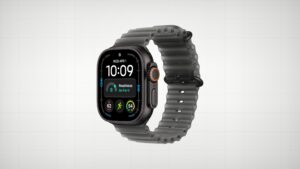
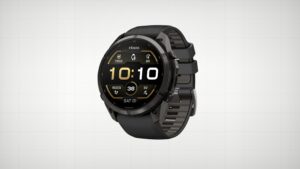
Apple Watch Ultra 4 vs Garmin Fenix 9 Pro: I Had to Pick One
| Category | Apple Watch Ultra 4 | Garmin Fenix 9 Pro |
|---|---|---|
| Battery Life | ★★★★☆ 3.5 | ★★★★★ 5 |
| Fitness Tracking | ★★★☆☆ 3 | ★★★★★ 5 |
| Strength Training | ★★☆☆☆ 2 | ★★★★★ 5 |
| Sleep & Recovery | ★★★☆☆ 3 | ★★★★★ 5 |
| Maps & Navigation | ★★★☆☆ 3 | ★★★★★ 5 |
| Smartwatch Features | ★★★★★ 5 | ★★★☆☆ 2.5 |
| Daily Workflow | ★★★★★ 5 | ★★☆☆☆ 1.5 |
| Connectivity | ★★★★☆ 4 | ★★★☆☆ 3 |
| Cross-Platform Support | ★★☆☆☆ 1.5 | ★★★★★ 5 |
| Overall | ★★★☆☆ 3.3 | ★★★★☆ 4.1 |
I’ve been wearing the Apple Watch Ultra 4 and the Garmin Fenix 9 Pro side by side for the last two weeks, 24 hours a day, minus a little bit of charging here and there. I’ve done this comparison in the past with earlier versions of these watches, and I think I’ve finally landed on what I need.
I’ve had every version of the Apple Watch Ultra, the 1, 2, 3, and now the 4, and before the first Ultra I had every Apple Watch all the way back to the original.
The Garmin is the better fitness tracker. The Apple Watch Ultra 4 is the better smartwatch. These two don’t talk to each other, and I don’t want to wear two watches, so I have to pick one as my primary daily device. And yes, there are going to be some compromises.
Battery Life: About 2 Days vs. 20+ Days
Let me quickly go over the obvious stuff most people talk about, starting with battery life.
The Apple Watch Ultra 4’s battery life is a little bit better than the Ultra 3’s. I remember the first Apple Watch barely making it through an entire day. Now I can probably go two full days without charging while wearing it 24 hours a day, even while I’m sleeping, and know that when I wake up I can throw it on the charger and it’ll charge up really fast. That fast charging is a good thing too.
But the Garmin Fenix 9 Pro has insane battery life. Garmins always have. Pretty much all Garmin devices have fantastic battery life, and I simply don’t need to think about it on this watch.
When I filmed the video, the Fenix 9 Pro was at 45% with 13 days of battery life left. The Apple Watch Ultra 4 was at 58%, and that’s not bad either. I’d charged it the night before, and I have it set so sometimes it charges to 100% and other times it stops at 80%, so that night it stopped at 80%. I’d also done about a 45 minute Zwift ride on the trainer early that morning, indoors with no GPS, so nothing too taxing on the battery for either watch.
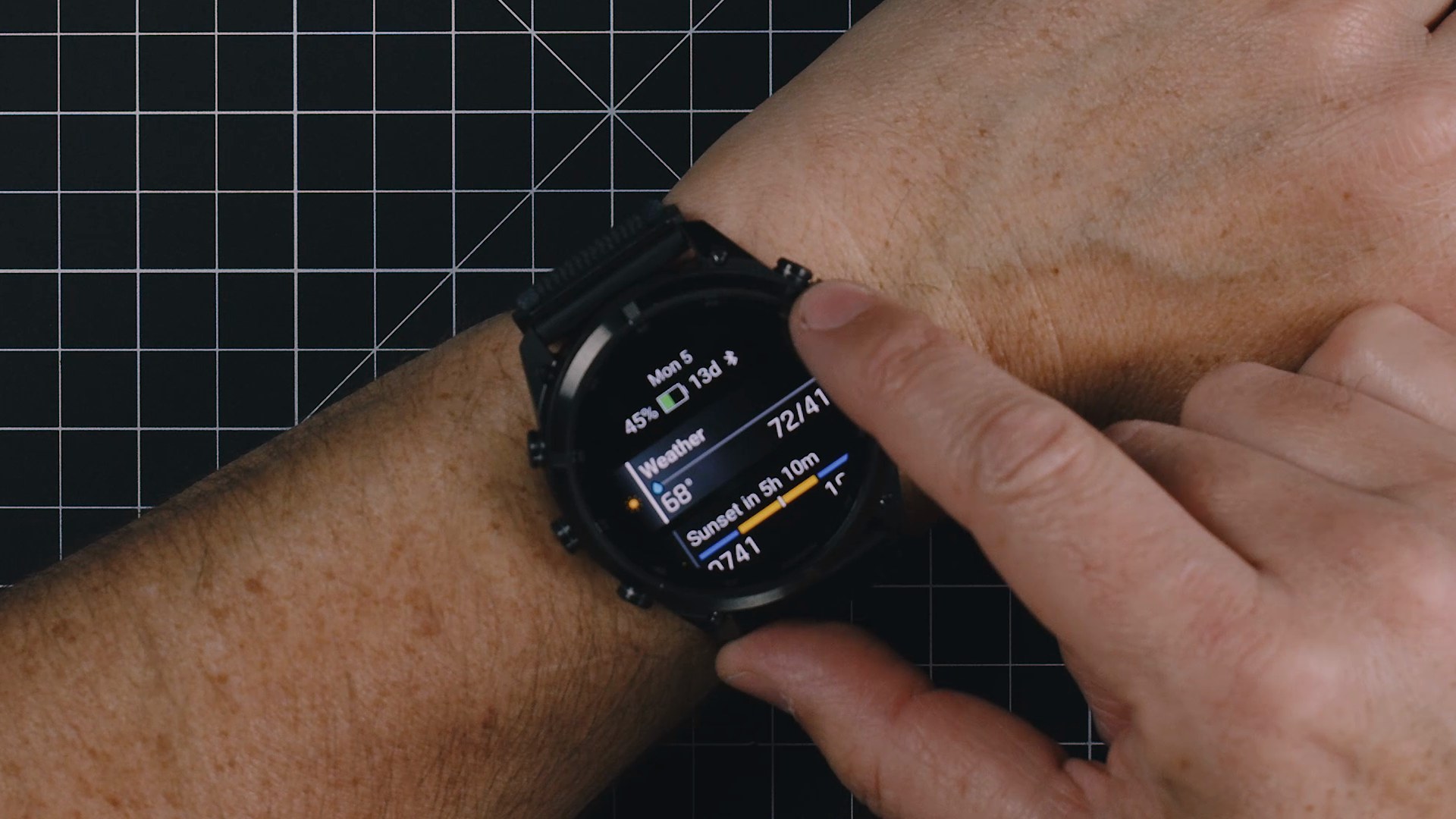
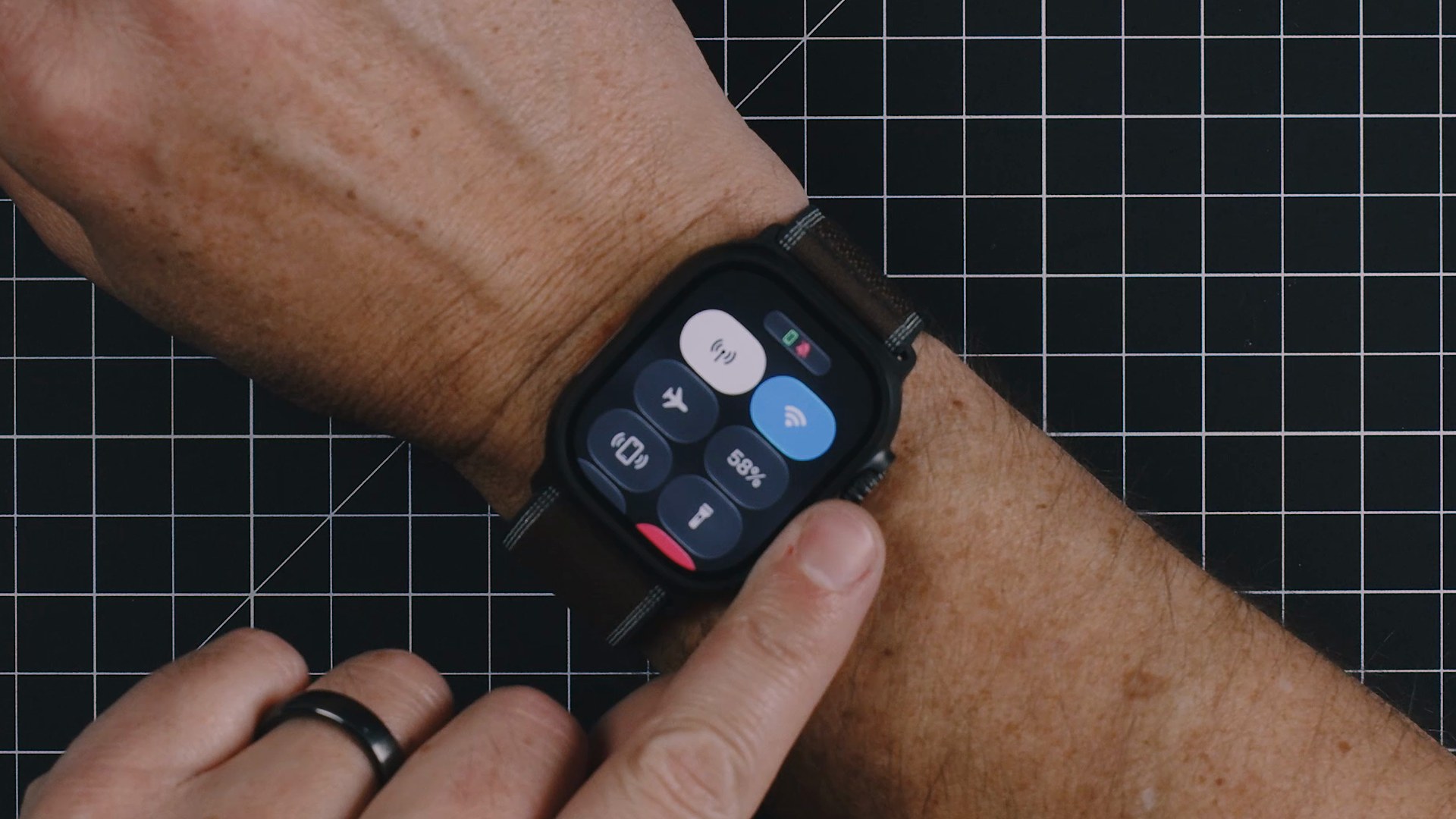
If I do get the low battery notification on the Fenix 9 Pro, I probably still have 2 to 3 days before I need to charge it. And once I charge it, I’m going to get 20 days or more, probably 24 to 25 days.
One note on my testing. I’ve been working out indoors a lot more lately because the sun isn’t coming up as early here in Montana as we get into fall, and most of my workouts are in the morning. I’ve also had to take some recovery time for shoulder discomfort and an issue with my knee, so that’s limited how many outdoor runs and bike rides I’ve been able to enjoy over these two weeks.
The Garmin Is the Better Fitness Tracker
We all probably know the Garmin has better overall fitness tracking. There’s more data and more information, and that’s fine. But what does that look like for a guy like me in his mid-forties, who always seems to be nursing some sort of injury while trying to improve his overall fitness, better understand his recovery needs, and hopefully always be improving?
My common workouts are running, cycling, weight training, and body weight workouts when I’m not at the gym or in my home gym. I need to track those things, I want to do them effectively, and I want information that sets me up for success. The Garmin absolutely does that over the Apple Watch.
Of course, I could get there with the Apple Watch, but it’s probably going to require a couple of third-party apps and subscriptions. Garmin does have a subscription service, but I’ve never used it, and I don’t need any subscription to get the most out of my Fenix 9 Pro.
When I’m out on a run, I like the information the Garmin has readily on the screen. I know there’s a bunch of information I can tap between on the Apple Watch, but when you’re running and trying to tap, most of the time it can’t tell the difference between a tap and a step. That makes it really challenging to see more information on the screen. On the Garmin, all I have to do is hit a button, as long as I can get to it. I scroll down to the next screen, and when I get to the bottom, it shoots me back up to the top. The Apple Watch doesn’t do that. Once you’re at the bottom, you have to scroll all the way back up again.
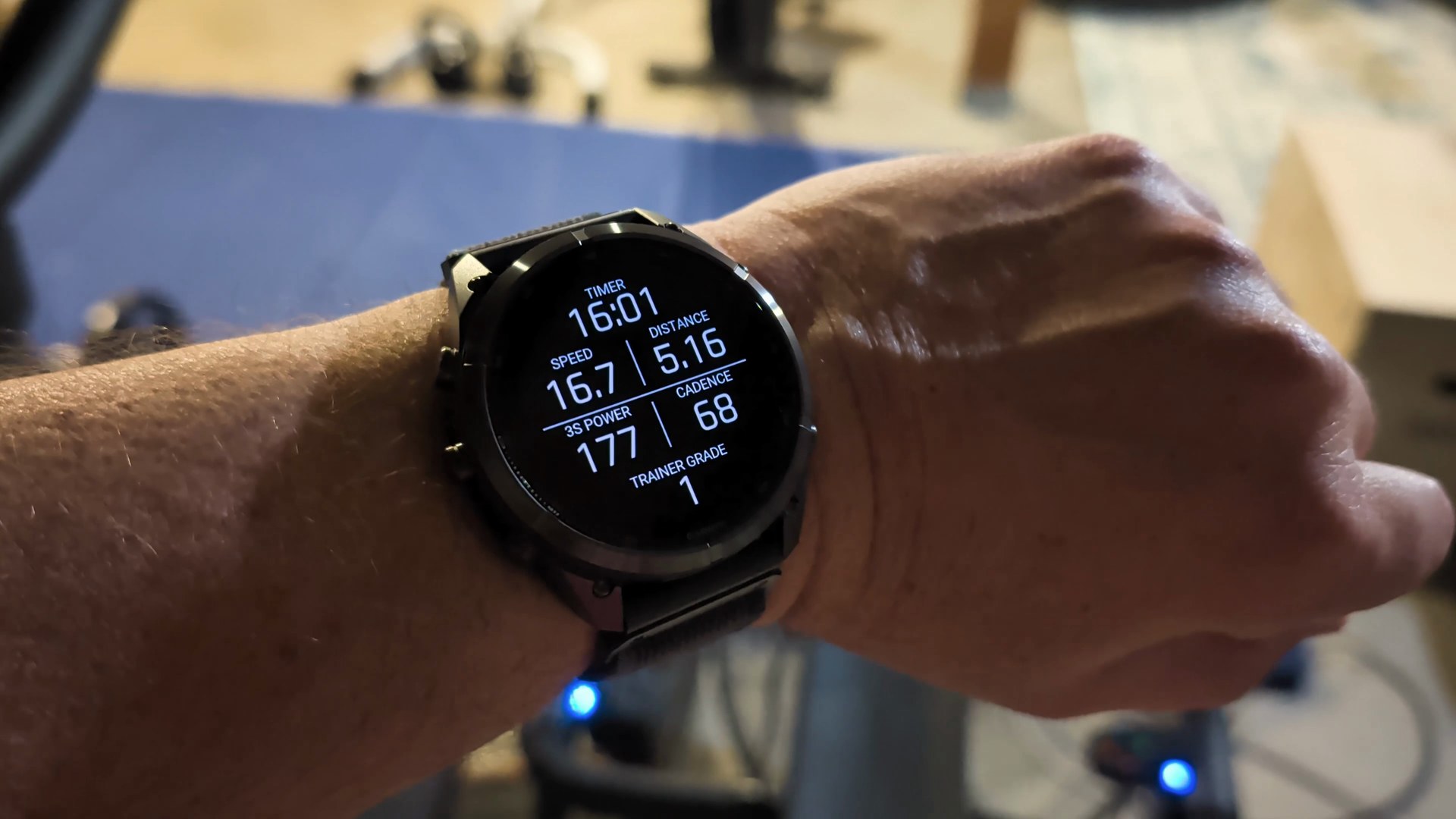
Apple spent a lot of time this year talking about the fitness features they’re adding to the Apple Watch and the Health app. I can’t help but believe Apple is just using fitness speak for their marketing talking points to make it look like a lot of improvements have been made. There have been improvements, but it’s still not that enjoyable to use as a fitness device.
Strength Training Is Where the Gap Is Biggest
One workout where you’re going to see huge differences in usability between the Garmin and the Apple Watch is weight training, or strength training, as the Apple Watch calls it. I think everybody should be doing some sort of strength training, and it becomes more and more important the older you get.
When I lift weights, I want to track it so I can see which muscles I’ve been working and plan ahead. I don’t want to overwork certain muscles and cause damage, I want to recover well, and I want to make sure I’m not focusing too heavily on just certain muscle groups. I need basic information to know that, and both of these watches are capable of capturing it. The Garmin just does it substantially better.
In strength training mode on the Garmin, it’s very easy to track everything I’m doing. I start my workout and it starts counting reps. I press a button to record the set. If I need to adjust the reps or enter how much weight I was lifting, that’s a button press and maybe a tap, and I’m ready to move on to the next set. I don’t have to choose which exercise I’m doing, scroll through a list, or add things to my favorites. The Garmin auto-detects all of it, and it’s extremely accurate. The only times it misread what I was doing were probably because I had poor form, and as my form improved, it got better at recording exactly what I was doing.
If I’m doing bicep curls, it automatically logs them. Bench press, even incline or decline, it knows because of the angles all the sensors in the watch are detecting. Squats, deadlifts, kettlebell swings, it just knows those movements and records all of it.
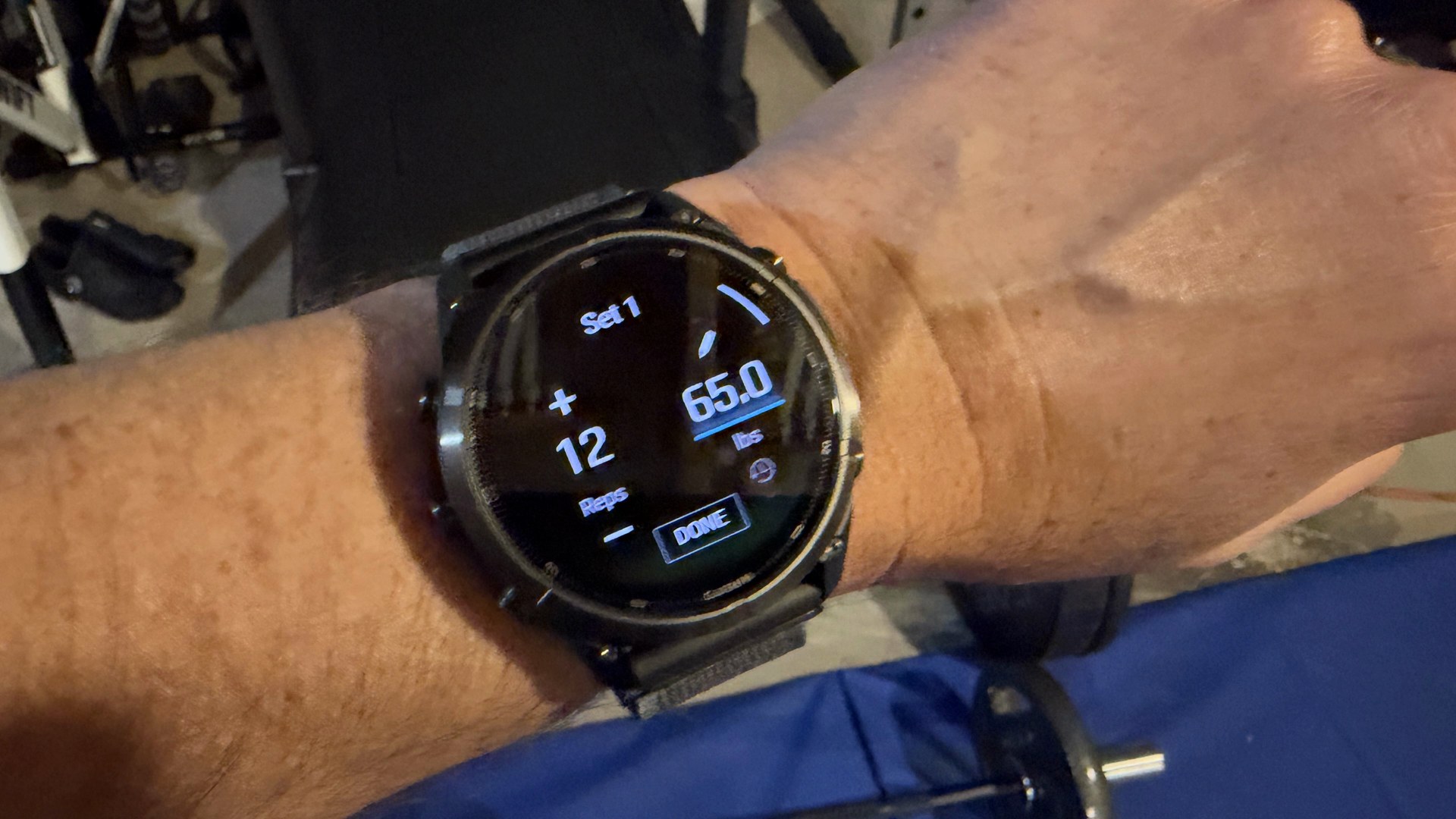
The Apple Watch Ultra 4 doesn’t do any of that. In strength training mode, the only option it gives me is to record a segment, like I’m running a lap and want to record a timed segment. I know there are third-party apps that track all of this, and I’ve used them, but they require manually selecting the exercise, entering the weight, sometimes correcting the reps, and controlling the sets on top of that. That’s a lot of input on such a small screen. To be completely honest, it’s better to do it on the phone. For those workouts, I’d rather have my phone with me and enter everything there than on the Apple Watch.
I strength train 3 to 4 times a week, so that’s a lot of manual entry, and honestly, most of the time I don’t even bother on the Apple Watch or my iPhone because I just don’t want to go through the extra effort. The Fenix 9 Pro, and the majority of Garmin watches, record all of it well. Because it’s so easy, there’s no friction to recording that information, and for me it’s extremely useful so I don’t overtrain certain parts of my body and neglect others.
Siri Is Finally Useful on the Apple Watch
This is where most of the differences stop leaning toward the Garmin Fenix 9 Pro and favor the Apple Watch Ultra 4, and that’s with the improvements to Siri.
I’ve always had a hard time using my Apple Watch for much more than basic smartwatch functionality and fitness tracking. How many times have you asked Siri something on your Apple Watch, it searches the web, and then it says “view the result”? Now you’re either viewing a web page on your watch or going to look at it on your phone. It’s just not useful. I’d rather pick up my phone and start there in the first place. In my opinion, Siri has been relatively useless up until now.
But recently I needed to search for something, and I thought, I’m going to go to the Apple Watch. I asked it to do something, and it found the information, thought about the results, and then presented them to me and spoke them back. I thought, okay, this is actually useful. It would kind of do that in the past, but it just wasn’t useful, and if you’ve tried it before, you know what I’m talking about. Now I can get that information back on my wrist without having to grab my phone.
Siri has also gotten better at understanding basic things, like who I want to call, without me having to add a ton of context to get it right. Setting reminders and adding a quick note I can look at later work so much better now too.
Why the Apple Watch Has Been a Struggle for Me
To be completely honest, it’s been a struggle for me to use the Apple Watch Ultra for much more than basic things, because there’s been so much friction in actually using it.
The Apple Watch is essentially a second screen for your iPhone. Many times I’ve tried to make it a main screen. A lot of times I want to leave the iPhone behind so I can be more distraction-free and just get the important things on my Apple Watch when I need them. That’s why I’ve had a cellular Apple Watch ever since that was an option.
But that’s been an inconsistent experience over the years. Sometimes it’s worked, and other times it hasn’t. Sometimes my calls and text messages come through, and other times I don’t see them until I get back to the house, where my watch can connect to my phone over Bluetooth. It’s never been a perfect experience I can rely on, and I have four kids. One of them drives now, and I just don’t want to be out of reach.
Using other apps, like Find My to see where my family members are, was also a pretty poor experience until the most recent software update. So now I’m forcing myself to go back and use things on the Apple Watch that I’d pretty much written off as useless, because many of them are starting to become useful.
Can Either Watch Be Your Primary Device?
My kids have had Apple Watches too. My oldest just recently got an iPhone, and for about six years before that, he had an Apple Watch. His younger siblings still have Apple Watches. So I’ve had a lot of experience watching people use an Apple Watch as their primary device, and it is not a fun experience. It’s pretty much the most friction-filled experience you can have. I actually think a flip phone would be a better experience than an Apple Watch as your primary device if you didn’t have an iPhone to pair it to.
As a parent, an Apple Watch was a great option for my kids, because it allowed my wife and me to call and text them. It also let us give them some access to texting their friends as they got a little older, and warm them up to these technologies before just flat out giving them a phone. But there was a lot of friction in using their watches. It was always a frustrating experience for them, and I’ve felt that same frustration when I’ve tried to leave my phone at home and use my Apple Watch as my primary device.
There have been times where I’ve said I’m going to go a whole week with my Apple Watch as my primary and leave my phone at home, and I end up missing all sorts of things and not getting updates when I should. I simply can’t miss important calls or text messages from family members or clients. There are too many things for me to manage to flat out trust an Apple Watch as my primary device. But I’m more okay with that now. I recognize the Apple Watch is never going to be a primary device, and obviously Apple doesn’t want that to be the case.
The Garmin can’t be my primary device either. Besides GPS, the only connectivity the Garmin has is inReach, and inReach is great for its purpose, which is emergency calls and text messages. When you’re in cellular range, you can make calls and send text messages using the Garmin Messenger app, but whoever you’re calling or texting also has to have the Garmin Messenger app on their phone. I’m not going to ask everyone I know to install it so they can reach me. They’d have no idea whether to call or text my regular number or go into the app to contact me. The only value there is for the people close to you who know you’re out on an activity and that it’s the only way they’re going to be able to reach you.
Satellite Messaging and Maps
Living in northwestern Montana, it doesn’t take very long to get outside of cellular range, so having a watch that lets me message is pretty important. But I find the satellite connection on the Apple Watch more useful, because I can send and receive text messages with pretty much anyone. With the Garmin, they have to have the app installed.
When it comes to being out in the wilderness on hikes and that kind of thing, though, I really do like the Garmin maps much better. There have been even more improvements to Garmin maps this year with the Fenix 9 Pro, and they’re just beautiful. They update really fast, they’re super clean, and the size of the display makes it extremely easy to see the map and navigate, moving around with the buttons instead of swiping.
If you want really good maps on the Apple Watch Ultra, you’re not going to get them from the default Maps app. You’re going to need a third-party tool.
Sleep and Recovery Tracking
I wear my watch 24 hours a day, seven days a week. I like to track my steps, my activity for the day, and my workouts so the watch can accurately tell me what my training load should be for the day, whether I’m high or low, and whether I need a recovery day. It’s only going to know that if it has uninterrupted data from my day and sleep tracking at night.
The Garmin really does give you the best information here. I can see my body battery, my sleep score, my training load, and where my VO2 max currently is, and I can edit that page to get all sorts of additional information.
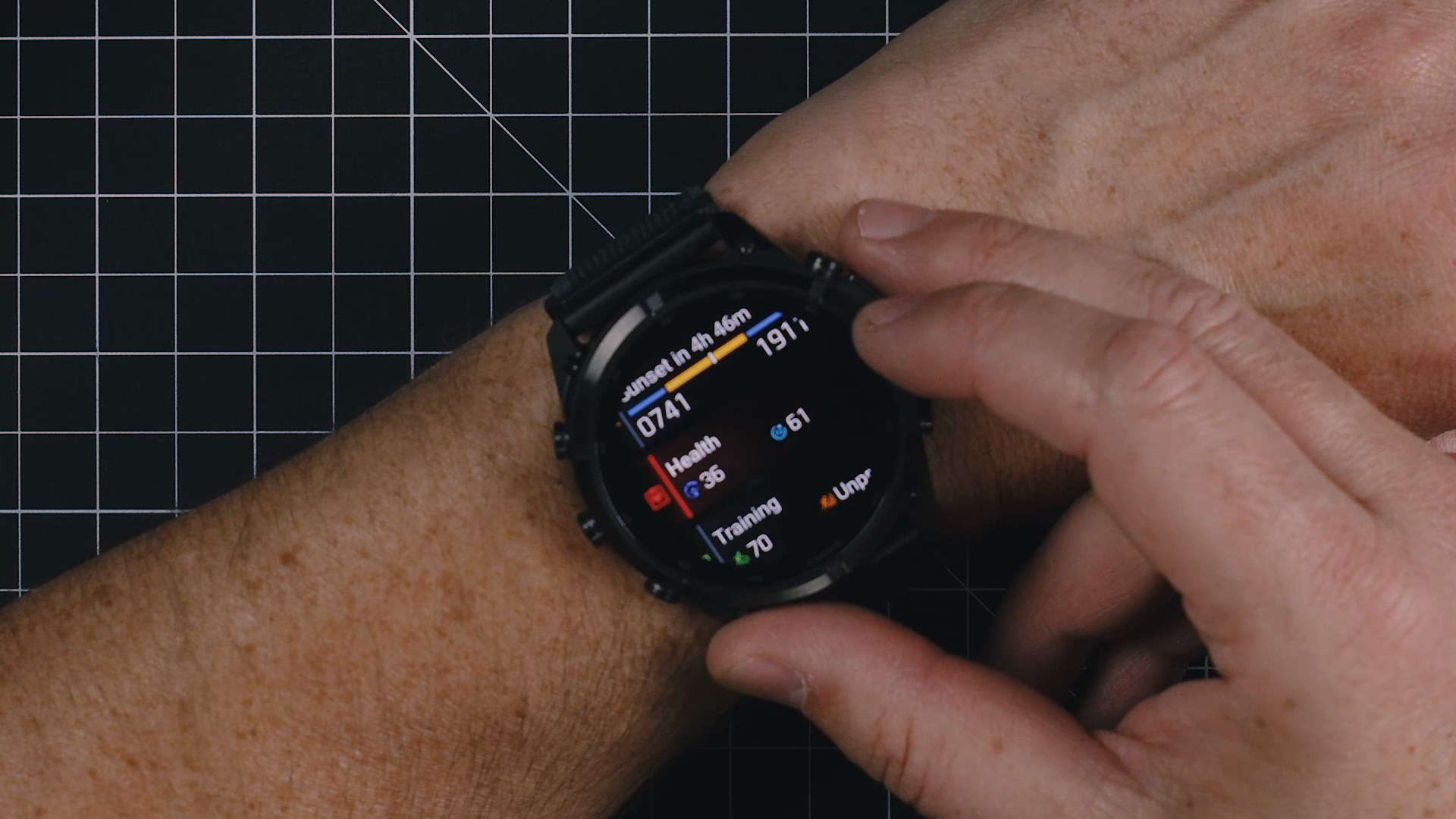
On the Apple Watch, I have my vitals on the left side, which update after sleep every night, and on the right side, I can see my training load. I’m a little bit below right now, because I’ve had to take it easy the last several days with my shoulder bothering me.
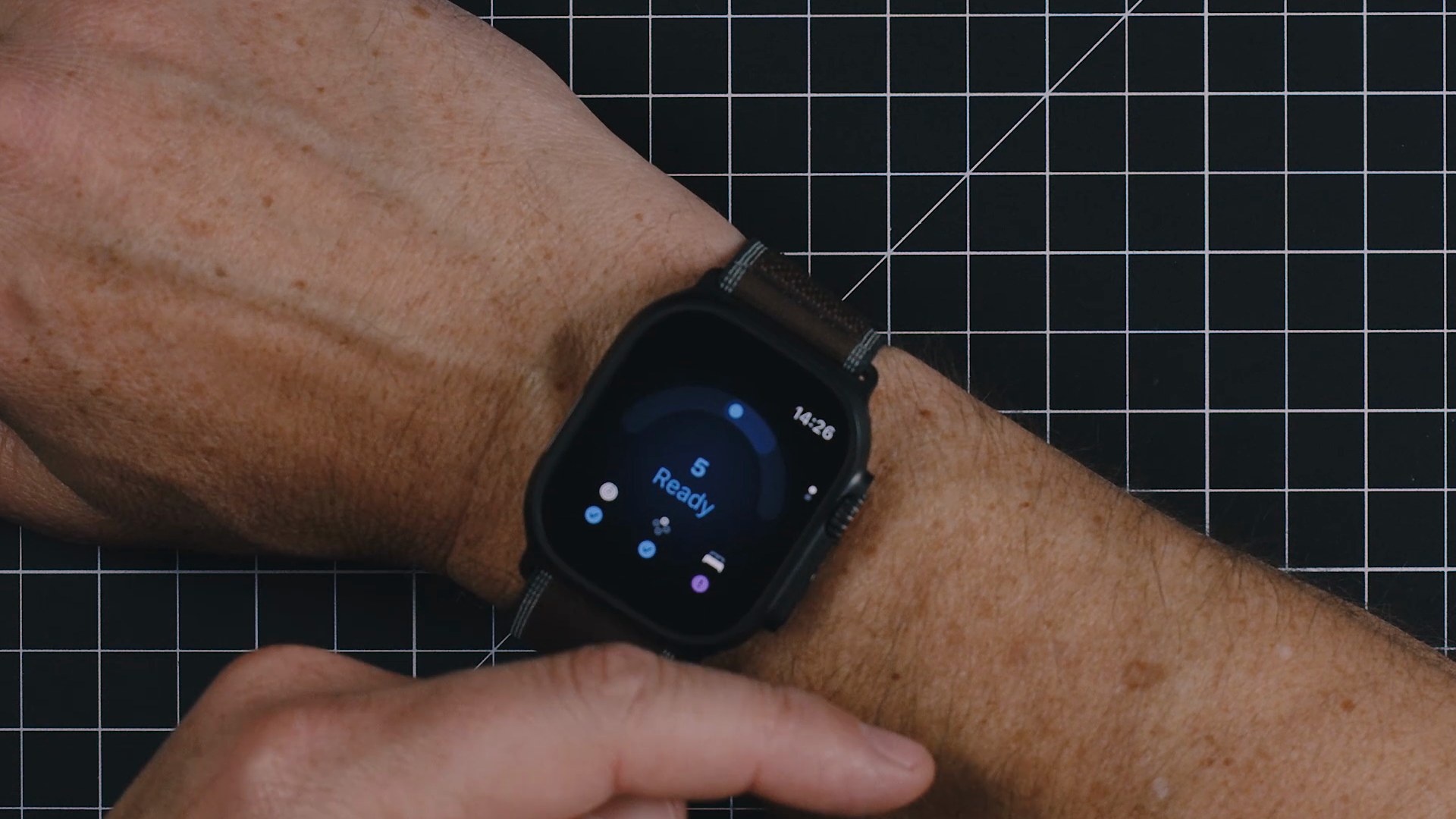
Then there’s the Readiness app, which is new from Apple this year, and it’s just not that great of information. There’s this little gauge that says “5 Ready,” and I guess it could go either direction. There are some check marks, and if I tap on them, it doesn’t do anything. If I swipe down, it tells me I didn’t sleep well, and that’s fine, but I don’t necessarily want to read all of that. I’d rather see some sort of score instead. I can tap around and it’ll take me over to the Fitness app, the Vitals app, or the Sleep app for more information, but look at how much time I’m spending digging through all of this, jumping between different apps and swiping and scrolling.
On the Garmin, I’m just a few swipes away, and if I tap in, I’ve got all of that information in one simple view. I don’t need to tap into anything else to know more. Of course I can, but I’m getting valuable information without having to sit here and read a story about it. I’m getting information that actually shows me what’s going on, and I’d prefer that over reading a couple of sentences on my Apple Watch. I just don’t find that useful.
To get better recovery data on my iPhone and Apple Watch, I was paying for a subscription to a recovery app. But I just don’t want to pay a premium for a device like the Apple Watch Ultra 4 and then still pay for another yearly subscription so an app can analyze data the watch is already collecting and display it to me in a better way. I think Apple should be able to do that, and I don’t need it explained to me like I’m a four year old. This is the Apple Watch Ultra, not the standard Apple Watch, or even the Apple Watch SE for that matter. There should be some difference there. But I get the same views of that information regardless of which device I’m on, and that’s something that’s always frustrated me about the Apple Watch Ultra.
These Watches Don’t Talk to Each Other
So here’s the dilemma I find myself in. When I’m wearing the Fenix 9 Pro, I know it’s collecting and displaying information that’s going to be useful to me. It helps me better understand my sleep, my day, and my workouts so I can make smarter choices, whether that’s getting to bed early because I had a poor night’s sleep the night before, or backing off an area of my body I’ve been training too heavily. The information the Garmin gives me is simply more useful.
But when it comes to managing the entire rest of my day, which means my calendar, the tasks I have coming up, setting reminders, taking short notes, and using a quick shortcut to capture information into the productivity dashboard I built with Claude Code, there are so many things I can do on the Apple Watch that I’d have to grab my iPhone for if I were wearing the Garmin.
If it were easy to switch between the two, wearing the Apple Watch throughout the day and the Garmin for workouts, and the data synced so the Garmin updated with all the steps and activity the Apple Watch tracked during my day, I’d be fine with that. I’d just put the Apple Watch on the charger while I did my workout, grab the Garmin, and life would be fantastic. I don’t mind owning two different devices.
But the fact is, these devices don’t talk. They don’t share information that well. If I did all of my workouts on the Garmin, I wouldn’t be closing my rings on the Apple Watch. And if I spent my entire day wearing the Apple Watch, the Garmin wouldn’t have accurate steps or levels of overall fatigue, so it would be giving me false information because it didn’t have the full picture.
I also don’t want to wear two watches at the same time. It kind of looks silly, people want to know why, and I get asked all the time. I’ve been thankful it’s been a little cooler out over the last two weeks so I could wear a light jacket and at least cover one of them up. But that’s not how I want to live my life. I don’t want two different watches on me at all times. I have to decide on one.
What the Fenix 9 Pro Does for Me
The Garmin Fenix 9 Pro signifies to me that I want to be more active and on top of my health. I want the data, because I’m going to use it to make better decisions about how I’m taking care of my body. Just wearing the Garmin makes me want to get out more, be outdoors, and use it to its fullest. And when I’m recording activities and workouts with the Garmin, I really like going back to look at the data, because there’s a lot of it and it’s usually pretty interesting.
But even with all the health data the Garmin does a great job of tracking, there’s one thing neither of these watches can do, and that’s tell how I feel. When I wake up in the morning and my shoulder is sore because maybe I slept on it wrong, the watches don’t know that. They might know my sleep was a little off or disrupted, but they don’t know my shoulder is sore and that I probably shouldn’t work that area out. Of course, I know that, so I’m probably not going to. But these devices don’t have that context, so I can’t rely on the data alone. I have to use that data as a tool, apply it to how I feel, and make wise choices so I don’t strain myself.
Throughout the rest of my day, though, the Garmin becomes less useful. Yes, it notifies me when I get a call or text message. I limit which apps can show notifications on my watch so it isn’t buzzing and vibrating all day, but there isn’t a lot of granular control over what comes through from your phone and what actually pushes through to the Garmin.
One other thing I really like about the Garmin is that it’s cross-platform. Most of you probably have an iPhone or an Android phone, you use that one, and that’s it. But I like to switch back and forth between devices, and that’s simple with the Garmin, because I can unpair it from one phone and pair it to the other. With the Apple Watch, moving from one iPhone to another means completely resetting the watch and setting it up again from factory settings. And I can’t take an Apple Watch from an iPhone over to an Android phone at all. So when I’m using an Android phone as my primary device, which I sometimes do, the Apple Watch becomes less useful and ends up sitting on the shelf, or I have to keep an iPhone powered on so it can sync its information.
What the Apple Watch Ultra 4 Does for Me
The Apple Watch Ultra 4 is much more useful as a second display. When I get a notification, there’s richer information in it than what I typically get on the Garmin.
Day to day, even though the Apple Watch can’t be a primary device and I still need my iPhone with me most of the time, I don’t have to have my iPhone out on the table. I can put it in my bag and know I’m not going to miss any calls, text messages, or important notifications, because I have granular control over what’s pushed from my iPhone to my Apple Watch. I don’t want my Apple Watch, or the Garmin for that matter, buzzing every single time I get a notification from any app. In the Watch app on the iPhone, I can control that on a per-app basis or flat out shut them off altogether.
There are also what I’d call lifestyle or workflow improvements that the Apple Watch provides and the Garmin doesn’t. For example, if my Apple Watch is near my computer when I open it, the Apple Watch can unlock the computer, so I don’t have to type in a password or use my fingerprint. That really comes in handy throughout the day. When I’m unlocking my password manager, authenticating an app, or approving a two-factor login, I can just double tap on the Apple Watch instead of typing in my password.
The Apple Watch is hands down better than the Garmin for mobile payments, too. Garmin does have Garmin Pay, but it’s extremely slow and clunky to get into. The Apple Watch gives you much more control over your payment methods, and it’s extremely easy to get to them.
Streaming music is a better experience on the Apple Watch, because it has native music apps that work better than the ones on the Garmin. The Garmin is nice because there are a few music apps and you can download music to the watch, so even if you go off into the wilderness and lose all connection, your music is there. But you have to manually connect your headphones to it, and when you get back, you have to manually connect your headphones to your other device again. There isn’t any real cohesive handoff between your devices like there is with the Apple Watch.
My AirPods just seamlessly switch between my devices. I’ve taken off on a run with my phone left in the car. When I left, my AirPods were connected to my iPhone, and as I got out of range, they connected to my Apple Watch and kept streaming. That’s just a good experience. It’s not perfect in areas with spotty connection, which is common up here in northwestern Montana, so I know I need to download my music for offline listening so I don’t run into buffering. But there’s something to be said about the connected experience between all of your Apple devices.
The Apple Watch adds utility to your other Apple devices beyond notifications, text messages, and phone calls. When I’m not wearing it, I’m manually typing in my password a lot more often, and it saves a lot of time just being a proximity key for unlocking my computers. Add the improvements that came to Siri this year, and I think the Apple Watch has finally become a device that brings enough utility to outweigh the fact that it’s not the best fitness tracker.
Should You Upgrade From the Fenix 8 or Ultra 3?
There’s a lot to say about Garmin’s fitness tracking, and that’s not even necessarily Fenix 9 Pro specific. The Fenix 9 Pro is definitely the best and the newest, with some updates over last year’s model, but not a ton. I wouldn’t recommend anybody jump from the Fenix 8 to the Fenix 9 unless you just absolutely want the latest and greatest.
In the same way, I wouldn’t recommend anybody go from the Ultra 3 to the Ultra 4. Neither of these watches saw enough improvement over last year’s model when it comes to the hardware. The Ultra 4 also hasn’t seen many fitness updates, and it still leaves much to be desired when it comes to fitness tracking and the whole health and fitness experience. But there have been substantial improvements to watchOS that make my overall day better as an Apple Watch Ultra user than as a Fenix 9 Pro user.
Does the Apple Watch Ultra 4 Live Up to the Ultra Name?
Even though the Apple Watch has been around for a long time and we’re on the fourth generation of the Apple Watch Ultra, it still isn’t an elite fitness tracker, and it doesn’t live up to the Ultra name.
All of the quality of life benefits I’ve talked about that have me leaning toward the Apple Watch Ultra 4 can also be found on the most recent versions of the standard Apple Watch. They aren’t Ultra-specific features. So essentially, I’m paying more for the Apple Watch Ultra because I want a little better battery life and a watch that looks a little more masculine.
Which Job Does Your Wrist Need?
The conversation, as it has been for many years, comes down to this. Do you want the best fitness tracker out there, or do you want the best smartwatch out there? These two watches fit those categories, and the line between them is where you have to decide which one you want.
Unfortunately, we can’t have the best of both at the same time without wearing two devices, which I think you can agree is ridiculous. And because health and fitness data doesn’t sync back and forth between these two, regardless of which one you’re wearing, you have to choose one as your primary.
Over the years I’ve made this type of comparison, a lot of opinions have been shared, and it’s really interesting to hear how different people use different devices. So share something actually useful you do on the watch you chose that you can’t do on the other one. Leave it in the comments on the video. Let’s make it less about pooping on one versus the other.
Our Verdict
Winner: Apple Watch Ultra 4
The Fenix 9 Pro wins more of these categories, and it's the ultimate fitness tracker, so I'm hanging on to mine. When I'm actually training for something, I want the specific information and the experience the Garmin produces, and the Apple Watch Ultra doesn't come close. But in all the other areas of my life, including my family, my business, being creative, and staying organized, the Apple Watch Ultra 4 is the one that does it for me. As much as I want the Fenix 9 Pro to be my primary device, I can't justify it. There are too many quality of life and workflow improvements on the Apple Watch Ultra 4, and since health and fitness data doesn't sync between the two, the Ultra 4 has to be my daily watch. If you want the best fitness tracker, get the Fenix 9 Pro. If you want the best smartwatch, it's the Apple Watch.
Was this helpful?
Frequently Asked Questions
Is the Garmin Fenix 9 Pro better than the Apple Watch Ultra 4 for fitness tracking?
How does battery life compare between the Apple Watch Ultra 4 and the Garmin Fenix 9 Pro?
Does the Apple Watch Ultra 4 automatically track strength training reps?
Do the Apple Watch Ultra 4 and Garmin Fenix 9 Pro share health data with each other?
Can the Apple Watch Ultra 4 or Garmin Fenix 9 Pro replace your phone?
Which watch is better for satellite messaging when you're out of cell range?
Should I upgrade from the Apple Watch Ultra 3 or the Garmin Fenix 8?
Does the Garmin Fenix 9 Pro work with both iPhone and Android?
Is the Apple Watch Ultra 4 worth it over the standard Apple Watch?

You must be logged in to post a comment.