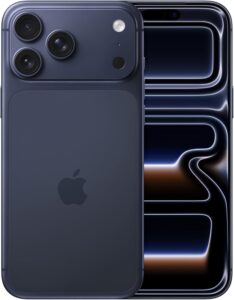
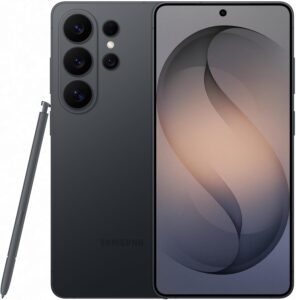
iPhone 17 Pro Max vs Samsung Galaxy S26 Ultra
| Category | Apple iPhone 17 Pro Max | Samsung Galaxy S26 Ultra |
|---|---|---|
| Morning Routine & Daily Start | ★★★★★ 4.5 | ★★★★☆ 4 |
| Daily Work & Productivity | ★★★★★ 4.5 | ★★★★★ 4.5 |
| Communication & Messaging | ★★★★★ 4.5 | ★★★★☆ 4 |
| Driving & CarPlay / Android Auto | ★★★★★ 4.5 | ★★★★☆ 4 |
| Ecosystem & Laptop Integration | ★★★★★ 5 | ★★★☆☆ 2.5 |
| Camera | ★★★★★ 4.5 | ★★★★★ 4.5 |
| Notifications & Focus | ★★★★★ 5 | ★★★★☆ 3.5 |
| Battery & Reliability | ★★★★☆ 4 | ★★★★★ 4.5 |
| Unique Features (S Pen / DeX) | ★★★☆☆ 3 | ★★★★☆ 4 |
| Overall | ★★★★☆ 4.4 | ★★★★☆ 3.9 |
30 Days of Real-Life Testing
I went into this test expecting to confirm what I already believed. I’ve been on iPhone since the original launched. My whole family is on Apple. My work runs on a Mac. So when I switched to the Galaxy S26 Ultra as my primary phone for 30 days — using my iPhone only when absolutely necessary — I expected to come back feeling validated. That’s not exactly what happened.
The Galaxy S26 Ultra surprised me more than I wanted to admit. This isn’t a spec comparison or a camera lab test. It’s a life test: same calendar, same commute, same family group chats, same self-employed workday, both phones, for a full month. What follows is the most honest account I can give of how each phone performed where it actually matters.
Morning Routine: Which Phone Starts Your Day Better
Every morning begins the same way — I grab my phone before I’ve had coffee, because it’s my alarm and my sleep tracker, and I head downstairs to get in a workout before the day fully kicks off. That morning window is a friction-sensitive moment. The less the phone gets in my way, the better the day starts.
On the iPhone 17 Pro Max, my notification summary is waiting. My Focus mode from overnight has already filtered out anything that didn’t need to wake me up. The calendar is glanceable. The phone hands me a clean start without asking me to make decisions I’m not ready to make.
The Galaxy S26 Ultra — and I want to be fair here — has gotten genuinely good at the morning experience. One UI has matured significantly, and the lock screen customization options exceed what iOS currently offers. But the Android notification experience still presents more to sort through before I’ve fully woken up. More is on the screen, and more of it requires my attention to process.
The bigger friction point in my morning was the AirPods-to-iPad handoff. My workout often involves switching audio between my iPhone and my iPad — listening to music, watching a YouTube video, or running a workout app. AirPods switch between Apple devices automatically. When I was on the Galaxy with the Galaxy Buds 4 Pro connected, switching audio to the iPad required manually going into Bluetooth settings, disconnecting, and reconnecting. That’s a small thing in isolation. At 5:30am before a workout, it’s enough friction to change the rhythm of the morning.
I spent the first two weeks of this test using the Galaxy Watch Ultra alongside the S26 Ultra, and the final two weeks with the Garmin Fenix 8 Pro AMOLED. The Galaxy Watch Ultra is a capable device, but it felt immature as a platform compared to what I expect from a smartwatch at this point — specifically in workout analytics and data depth. The Garmin more than compensated on that front, but neither gave me the seamless cross-device experience the Apple Watch Ultra provides within the Apple ecosystem.
Morning verdict: iPhone wins, though the margin has never been smaller. The primary advantage isn’t iOS itself — it’s the AirPods ecosystem and cross-device audio continuity that Android simply can’t replicate if you’re also using an iPad.
Daily Work Performance: Speed vs. Friction
This is where I spent the most analytical attention, because it’s the category that matters most for anyone who uses their phone as a work tool rather than just a communication device. I’m self-employed. I’m in files, email, calendar, notes, and task management throughout the day. Both phones needed to support that workflow without getting in the way.
The Galaxy S26 Ultra is fast. Genuinely, noticeably fast. App switching felt snappier than on the iPhone in direct back-to-back use. The split-screen multitasking — two apps running simultaneously on screen — is something iOS still doesn’t offer, and there were moments during the test where I genuinely missed it after switching back. For file management specifically, Android’s file system remains more capable than iOS. Moving files between apps, handling downloads, managing documents across different cloud services — the Galaxy handled all of it with less friction than the iPhone.
But speed isn’t the same thing as efficiency. The iPhone’s advantage isn’t raw performance — it’s the consistency that comes from tighter OS-to-hardware integration. Things work the first time, more reliably. Apps don’t reload when you switch back to them the way they sometimes do on iOS when memory management kicks in. The steps between intention and completion are fewer, even if each individual step is slightly slower.
One significant Galaxy improvement worth calling out: AirDrop now works between the S26 Ultra and a Mac. This used to require a third-party workaround and was one of the most consistent friction points in cross-platform workflows. It works well now — in some tests it was actually faster than iPhone-to-Mac AirDrop. The caveat is that your Mac needs to be set to accept files from everyone, which doesn’t persist — it resets to contacts-only after about 10 minutes for privacy reasons. That means you occasionally try to AirDrop something and your Mac isn’t showing up because you forgot to flip the setting. It’s a small friction that doesn’t exist in an all-Apple setup.
Work verdict: Slight iPhone edge for users embedded in the Apple ecosystem, specifically because of cross-device continuity. Galaxy wins outright for file-heavy workflows and multitasking. For most productivity tasks, completion time favored the iPhone — not because it’s faster, but because it required fewer steps.
Communication: iMessage vs. RCS in Real Life
I’ll say something that might sound counterintuitive coming from this channel: RCS on Android is technically better than iMessage as a messaging protocol. The feature set, the image quality, the flexibility — if you strip away the network and just evaluate the messaging experience between two people, Android wins.
But the network is exactly the problem. I have four kids and a wife on Apple devices. My team is on iPhone. Every family group chat I’m in is an iMessage thread. The moment I’m on the Galaxy, I’m the green bubble — and while I personally don’t care about bubble color, the practical consequences are real. Reactions don’t cross over cleanly. Certain features break in mixed threads. There’s a coordination tax to being the one person in the family not on iMessage.
This isn’t a technical critique of Android. It’s a network effect critique of real life. The initial transition was the hardest part — several group chats broke and showed up differently, and there was a period of reconfiguring how I was staying in contact with people. Over time, I found that accessing Android Messages in a browser was a workable solution, and with RCS the quality of that experience has improved substantially.
Location sharing, Find My integration, and the ability to initiate FaceTime calls directly from the Messages app — these are genuine communication advantages for families embedded in the Apple ecosystem that don’t have direct equivalents on Android. Wi-Fi calling worked on the Galaxy when my carrier supported it, but it required deliberate setup and the experience wasn’t as seamless as it is on iPhone when you’re away from cellular.
Communication verdict: iPhone wins for family-centric users — not because the technology is superior, but because the people around me are already on it. If your circle is primarily on Android, this round looks very different. RCS has genuinely closed the gap on the protocol side; the remaining iPhone advantage is purely network and ecosystem.
Driving: CarPlay vs. Android Auto
I live in Montana. Everything is a drive away. The in-car phone experience matters to me in a practical way that might not apply to someone who commutes on transit or works from home. I tested CarPlay with the iPhone on morning commutes and Android Auto with the Galaxy on evening commutes for the full 30-day period.
My honest take surprised me: I enjoyed Android Auto more than I expected to. The interface is cleaner to navigate, notification management is better handled — incoming messages appear in a persistent widget I can return to when it’s safe, rather than disappearing the way they do in CarPlay — and the overall layout felt more considered for in-car use.
The one area where CarPlay has a clear advantage is voice interaction. Siri in CarPlay is more reliable for common in-car tasks — sending messages, making calls, asking for directions — than Google Assistant in Android Auto was in my testing. As long as you stay within the scope of what Siri handles well, the voice experience is smoother.
Apple Maps has improved significantly over the last two years, and I now genuinely prefer it to Google Maps for most navigation. The information density is better calibrated — you see what you need without being overwhelmed — and the routing quality in areas I know well was excellent. That said, Google Maps on Android Auto still edges out Apple Maps in real-time traffic data and routing in unfamiliar areas. If Google Maps is important to your in-car experience, that’s a real Android Auto advantage.
One Android Auto quirk worth noting: when I would remote start my truck on cold Montana mornings, if my phone was within Bluetooth range, Android Auto would automatically begin playing whatever media I had last used — sometimes at high volume — before I even got to the vehicle. CarPlay didn’t exhibit this behavior. It’s a minor issue but it happened often enough to be annoying.
Driving verdict: Narrow iPhone edge. CarPlay’s voice interaction is more reliable, and I prefer Apple Maps for day-to-day navigation. Android Auto wins on interface design and Google Maps integration. If you’re a heavy Google Maps user, this round is genuinely a toss-up.
Ecosystem Integration: The Factor Most Reviews Skip
This is the most underrated category in any iPhone vs. Android comparison, and most reviews skip it entirely because it requires actually living in both ecosystems to understand the real cost. If you use a Mac, iPhone integration is not a feature — it’s infrastructure.
Handoff. Universal Clipboard. AirDrop. Continuity Camera. iPhone Mirroring in macOS. These features are so woven into my daily workflow that I stopped noticing them — until I spent 30 days without them. There were multiple moments each week where I instinctively started a task on my phone intending to finish it on my Mac, only to hit the wall of needing a workaround.
Samsung’s integration story on Windows is genuinely good. Samsung DeX, Link to Windows, and the broader cross-device features work well if you’re in a Windows environment. On a Mac, that story falls apart. There are partial solutions — AirDrop now works between the S26 and Mac, and Android Messages in a browser handles most communication gaps — but the seamlessness that defines Apple’s ecosystem integration simply doesn’t exist in a Galaxy-plus-Mac setup.
DeX itself is worth addressing directly: the concept of turning your phone into a desktop experience by connecting it to an external monitor is genuinely interesting. In practice, I found it required more setup than it was worth — you need the external display, a Bluetooth keyboard and mouse, and a cable connection — and the resulting experience didn’t come close to working on an actual laptop. If I’m carrying all of that, I’m just carrying my MacBook instead.
Ecosystem verdict: iPhone wins decisively for Mac users. Not close. If you’re on Windows, this round reverses and Samsung’s integration story becomes a genuine advantage. The platform you pair your phone with matters more to this decision than most people acknowledge before switching.
Camera: Photography vs. Video Creation
Full disclosure upfront: I’m not running a lab test here, and I’m not the right source for pixel-peeping comparisons. What I tested is whether I trust the camera in a real moment — can I pull it out, shoot what I need, and know the result is going to be usable.
The Galaxy S26 Ultra has more camera. More zoom range, more sensors, more AI processing options, higher resolution output. For still photography — especially in varied lighting and at range — the Galaxy impressed me consistently. The zoom capabilities in particular are in a different class from the iPhone. At my kids’ soccer and basketball games, shooting from across a field or court, the Galaxy’s telephoto range gave me shots I couldn’t have gotten with the iPhone at the same distance.
For video, the iPhone is more consistent and more trustworthy for content creation work. The color science is more predictable, skin tones are rendered more naturally, and the overall output requires less correction in post. There’s also a practical feature on the iPhone that I missed immediately when shooting on the Galaxy: the small picture-in-picture preview that shows you a wider field of view when you’re zoomed in on video. At a youth sports event, being able to track a moving subject while zoomed in is genuinely useful, and the Galaxy doesn’t have an equivalent.
The Galaxy’s AI camera features are extensive — and honestly, more of them are useful than I expected. Generative Edit for removing unwanted objects from photos, for example, works better on the Galaxy than any equivalent I’ve used on iPhone. For creative still photography, the Galaxy’s toolset is broader.
Camera verdict: Split. Galaxy wins for still photography — better zoom range, more capable in varied light, more creative options. iPhone wins for video — more consistent color, more reliable output for content creation work. The right answer depends entirely on what you shoot more of.
iPhone 17 Pro Max Sample Photos
Galaxy S26 Ultra Sample Photos
Notifications and Focus: Intentional Tech Use
This category matters more to me personally than any other, because it’s the core question behind everything I cover on this channel: does this phone help you be intentional about your attention, or does it constantly pull you away from what you’re trying to do?
iOS Focus modes are the best implementation of attention management currently available on any mobile platform. The ability to set context-specific notification filters — different rules for work, personal time, family time, and sleep — and have every Apple device in your life automatically honor those same settings simultaneously is something that fundamentally changes how you experience your technology. When I set Do Not Disturb on my iPhone before filming a video, my iPad, Apple Watch, and Mac all go quiet too. That’s not a small thing.
The Galaxy S26 Ultra has capable notification management — One UI’s controls are granular and genuinely powerful in isolation. But the Galaxy doesn’t know what my Mac is doing. Setting a focus state on the S26 Ultra during a filming session meant I was also manually managing Do Not Disturb on each of my Apple devices separately. The same task was being done multiple times instead of once.
For anyone who’s working toward more intentional technology use — fewer interruptions, clearer context boundaries, more presence in the moments that matter — the Apple ecosystem’s cross-device Focus implementation is a meaningful structural advantage that you don’t fully appreciate until you lose it.
Notifications verdict: iPhone wins for intentional tech users. The cross-device Focus mode synchronization is the differentiating factor. Galaxy’s notification controls are more powerful in isolation, but they don’t know what your other devices are doing unless those other devices are also Samsung.
Battery Life and Long-Term Reliability
Both phones are excellent on battery. This is not a category where either device creates anxiety about making it through the day. The Galaxy S26 Ultra has the larger battery, and on days of comparable use, it typically ended the day with more charge remaining than the iPhone 17 Pro Max. The Galaxy’s battery advantage is real but modest — we’re talking arriving at bedtime at 25% versus 18%, not the difference between making it through the day and not.
Reliability is where the story gets more interesting. Over 30 days, I had zero unexpected restarts on either device. But I experienced more app crashes and unexpected behavior on the S26 Ultra than on the iPhone — nothing that resulted in lost work, but enough that I was aware of it. On the iPhone, I’ve developed an intuition for how apps behave — which ones are prone to reloading when I come back to them, where to avoid leaving unsaved work. That knowledge took years to build and it transfers directly to a consistent, predictable daily experience. Building the same intuition for the Galaxy would take time I didn’t have in a 30-day test.
The iPhone’s consistency is the kind of thing you stop noticing until you use something else and realize it’s not there. That’s actually a compliment — the best reliability is invisible.
Battery and reliability verdict: Galaxy wins on raw battery. iPhone wins on daily reliability and behavioral consistency. Reasonable people can call this a tie.
S Pen and Samsung DeX: Are the Unique Features Worth It
The S Pen deserves honest treatment because it’s one of the Galaxy’s most marketed differentiators. After 30 days, my verdict is that it’s genuinely useful — for a specific type of user — and largely irrelevant for everyone else.
I actually wanted the S Pen to be more useful than it turned out to be. I’ve been interested in the concept since the original Galaxy Note. I keep a paper journal and write in it daily, so I thought a stylus-enabled phone might bridge that into a digital workflow. What I found instead is that the friction of pulling out the S Pen, finding the right app, and actually using it for note-taking was consistently higher than just typing or using speech-to-text. The Notes app on the Galaxy is built around the S Pen, but I found the overall app experience less capable than Apple Notes for my actual workflows.
For specific use cases — signing documents on screen, annotating PDFs, sketching ideas — the S Pen is genuinely capable and has no direct equivalent on iPhone. But for those use cases, I reach for my iPad with Apple Pencil, which provides a larger canvas and a better overall experience. On a phone screen, I’ve never found an instance where the S Pen solved a problem I couldn’t solve faster with a keyboard or dictation.
S Pen verdict: Genuine advantage for stylus-native users. If you already use a stylus regularly and want that capability in a phone, the Galaxy delivers. If you’re on the fence about whether you’d actually use it, the evidence from 30 days suggests you probably won’t use it as consistently as you’d expect.
Our Verdict
Winner: Apple iPhone 17 Pro Max
After 30 days of carrying both the iPhone 17 Pro Max and the Galaxy S26 Ultra through my actual life, the conclusion I reached is more nuanced than a simple winner declaration — but it is a conclusion. I'm keeping the iPhone 17 Pro Max, and I want to be completely transparent about why, because the reason matters as much as the outcome.
The Galaxy S26 Ultra is the best Android phone I've ever used. In several categories — file management, raw battery life, still photography, and Android Auto — it matched or outperformed the iPhone. Samsung has closed gaps that used to be automatic iPhone advantages. If you had shown me this phone five years ago and told me Android would be this good, I wouldn't have believed it.
But the iPhone wins this comparison for me for one reason: my family. My wife, three of my four kids, my parents, and my entire professional team are on Apple devices. The moment I switch to Galaxy, I become the green bubble in every family thread, lose seamless Find My location sharing, lose the shared photo library experience, and lose the integrated FaceTime ecosystem that my family uses daily. That's not a hardware gap. That's a family infrastructure decision. And for me, it's not worth it.
Choose the iPhone 17 Pro Max if: You're already in the Apple ecosystem, your family is primarily on iPhone, you use a Mac for work, you're a video creator who needs consistent color and output, or you care about cross-device Focus mode synchronization as part of an intentional technology approach.
Choose the Galaxy S26 Ultra if: Your family and close circle are on Android, you use a Windows PC, you're a photographer who needs maximum zoom range and sensor versatility, you regularly work with large files and need the more capable Android file system, or you would genuinely use the S Pen for annotation and handwritten notes.
The case for iPhone in 2026 is an ecosystem case, not a hardware case. Both phones are excellent. The right choice depends almost entirely on where your people already are.
Was this helpful?
Frequently Asked Questions
Should I switch from iPhone to Galaxy S26 Ultra?
Is the Galaxy S26 Ultra better than the iPhone 17 Pro Max for photography?
Is iMessage really that important when comparing iPhone vs Samsung?
How does the Samsung Galaxy S26 Ultra work with a Mac?
Which phone has better battery life — iPhone 17 Pro Max or Galaxy S26 Ultra?
Is CarPlay or Android Auto better?
Is the Samsung S Pen worth it?
Does the Galaxy S26 Ultra work well for content creators?
Which phone is better for productivity — iPhone or Samsung Galaxy?
What is Samsung DeX and is it worth using?
Can I use a Galaxy phone with AirPods?
How does iOS Focus Mode compare to Samsung's notification management?

You must be logged in to post a comment.