Pitaka Edge Aramid Fiber Galaxy S26 Ultra Case Review
The Pitaka Edge combines ultra-slim 600D aramid fiber construction with three programmable NFC Aaron Button shortcuts — the most feature-rich slim case in this roundup for power users who want physical app shortcuts on their case.
Buy the Pitaka Edge Case → $59.99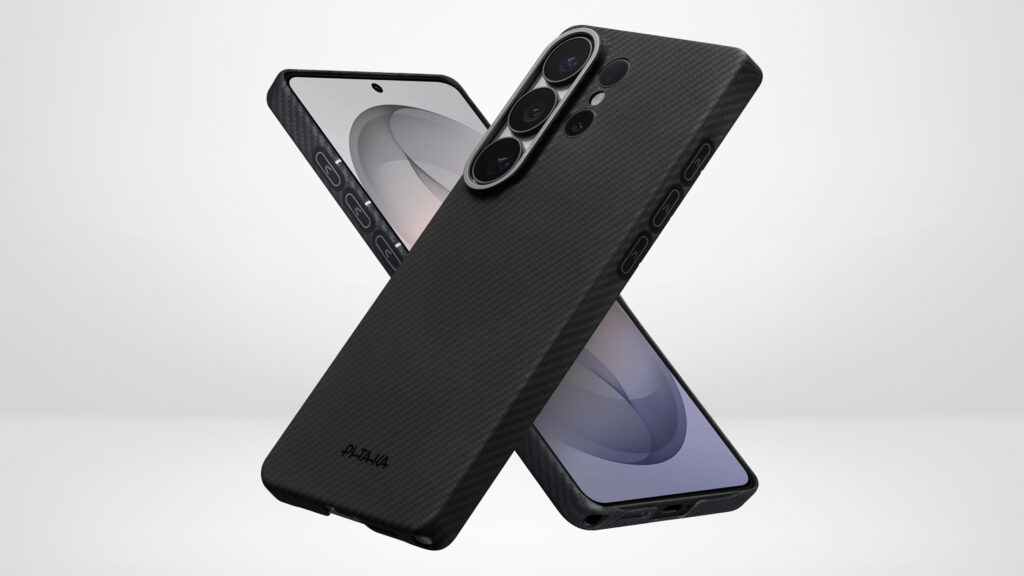
What We Like
- Three programmable NFC Aaron Button shortcuts provide physical app access without waking or navigating the phone
- 600D aramid fiber construction is signal-transparent — no interference with NFC, GPS, wireless charging, or cellular
- Ultra-slim 0.04 inch profile at 1oz delivers a genuine case-less feel on the Galaxy S26 Ultra
- 3D grip technology adds confident non-slip handling without rubberized tackiness
- Raised bonded camera rings provide targeted lens protection without adding bulk
- Priced $10 less than the Thinborne while adding the Aaron Button feature set
What Could Improve
- No drop test certification — protection is limited to scratch and contact damage prevention
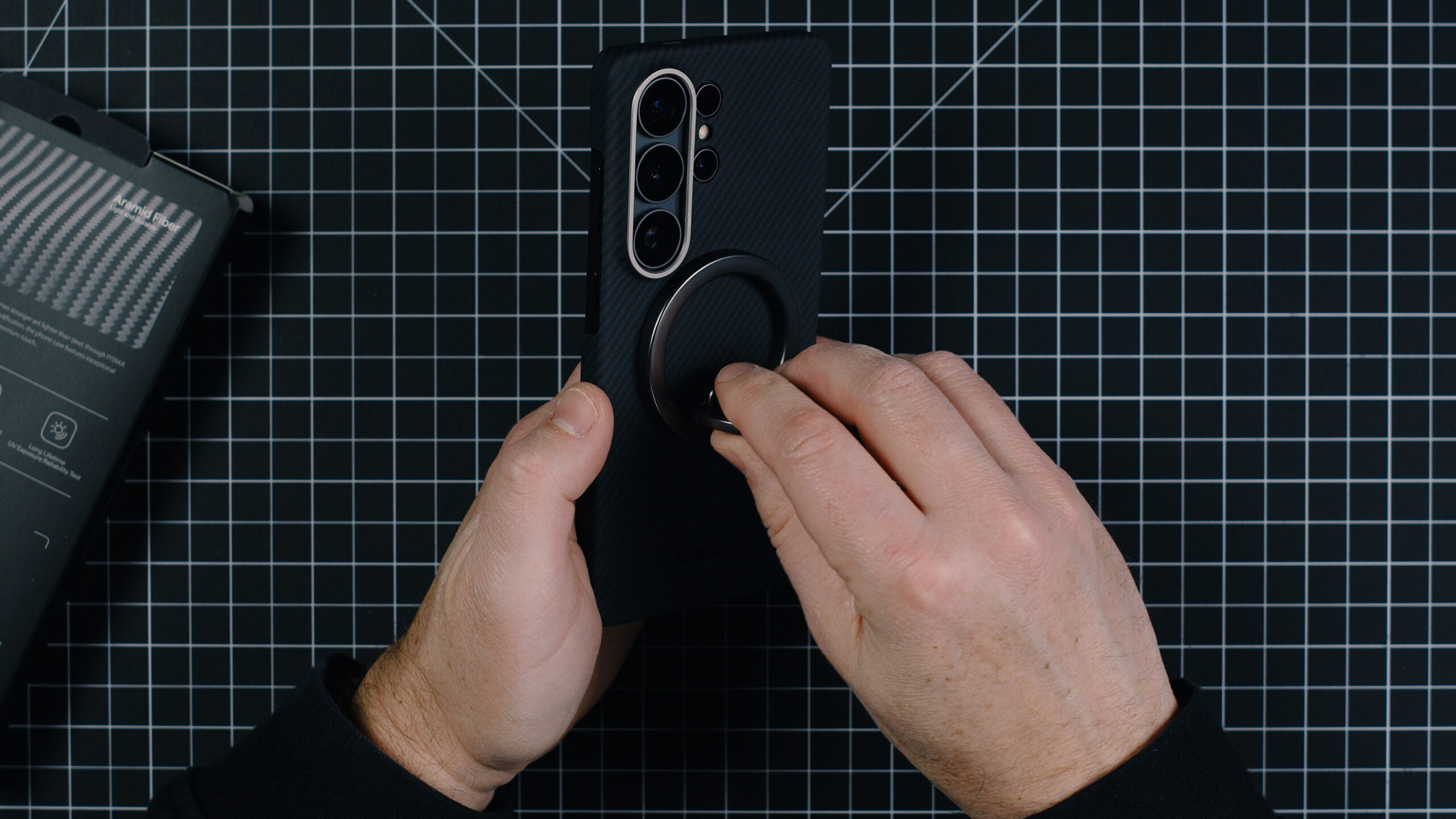
- No dedicated MagSafe magnetic array — wireless charging works but snap-on accessory alignment is not optimized
- Significant table wobble due to ultra-slim profile and S26 Ultra camera module
- Aaron Button app dependency means shortcuts require app setup and maintenance
- Minimal raised edge means a screen protector is near-essential rather than optional
Design and Aesthetics
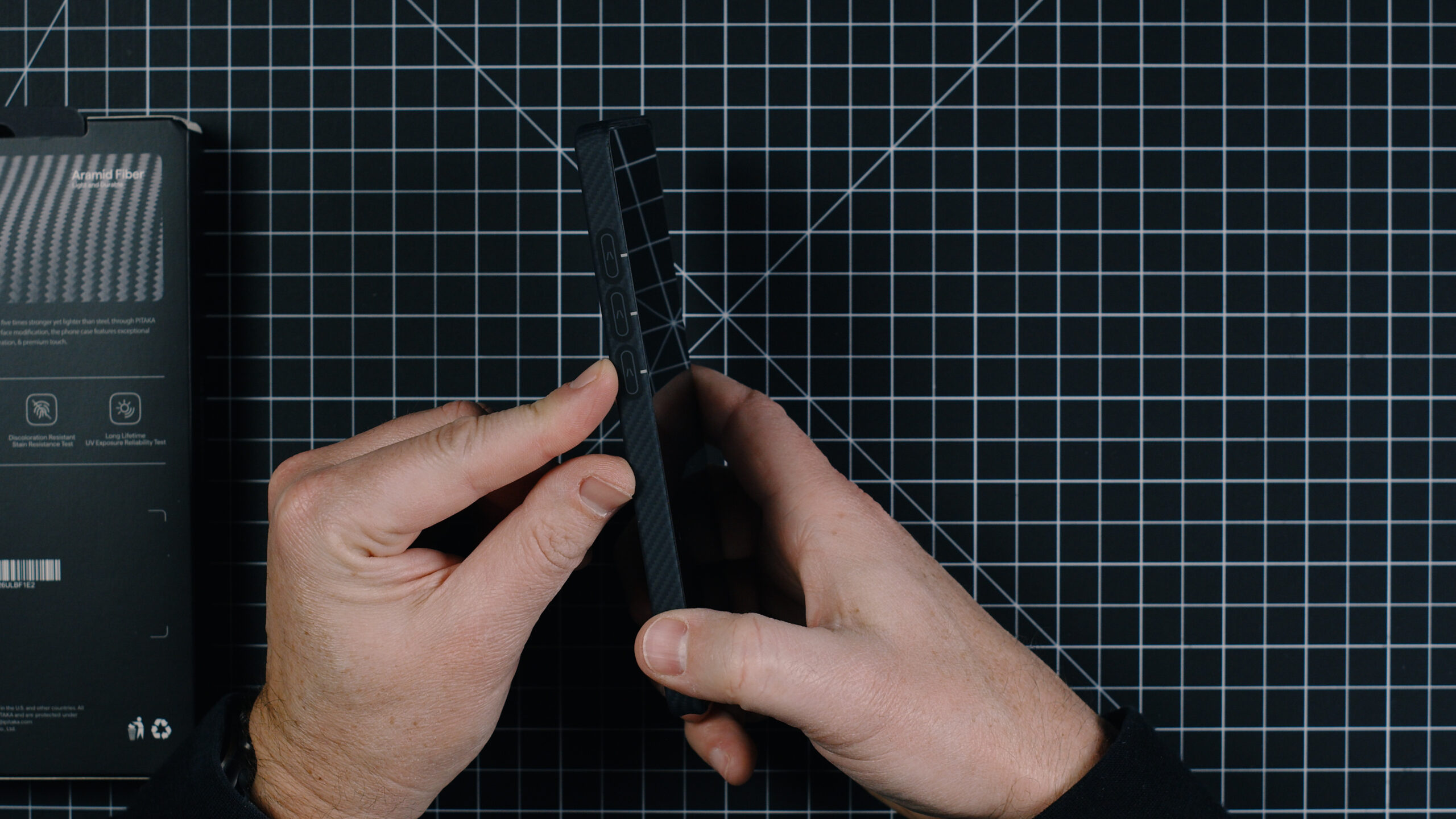
The Pitaka Edge case for the Galaxy S26 Ultra is a study in restraint. The 600D aramid fiber weave in black and grey creates a surface that is visually distinctive without being loud — the woven pattern catches light subtly and reads as premium and technical to anyone who knows the material, while remaining understated enough to suit any environment. The half-pack cutting design on the curving sides of the S26 Ultra follows the phone’s natural contours precisely, giving the case a form-fitting appearance that looks intentional and refined. The three Aaron Button NFC buttons on the left side of the case are the only design element that breaks from the purely minimal aesthetic, and they add a functional dimension that makes the case genuinely interesting rather than just another slim aramid option.
Build Quality and Materials
Pitaka uses 600D aramid fiber — a higher-density weave specification than standard aramid fiber cases — that is widely used in the aerospace industry and bulletproof vest manufacturing. The material is non-conductive, meaning it does not interfere with wireless signals including NFC, GPS, or cellular connectivity, which is a meaningful advantage over carbon fiber alternatives that can cause signal degradation. At just 0.04 inches thick and 1oz in weight, the Pitaka Edge adds virtually nothing to the phone’s dimensions while delivering a surface that is rigid, scratch-resistant, and genuinely durable. The raised bonded rings around the camera lenses provide targeted lens protection without adding bulk to the overall profile. Build quality throughout is precise and consistent with Pitaka’s reputation for high-quality aramid fiber construction.
The Aaron Button — NFC Programmable Shortcuts
The Aaron Button system is the feature that sets the Pitaka Edge apart from every other slim aramid fiber case in this roundup, including the Thinborne. Three NFC flash buttons on the left side of the case are user-programmable via the Aaron Button app, which is downloaded by pressing and holding any of the three buttons — the NFC technology inside the case communicates with the phone and opens the download link automatically. Setup in the app is straightforward and quick, with each button mappable to a specific app, shortcut, or action. There are no electronics inside the case buttons themselves — the NFC patch inside the case detects which button is pressed and triggers the corresponding action on the phone. The result is three dedicated physical shortcuts on the outside of the case that eliminate the need to wake the phone, navigate to an app, and find a function. For users who regularly access the same two or three apps throughout the day — camera, notes, music controls, a specific workflow app — the Aaron Button system is a genuine productivity addition that no other case in this roundup provides.
MagSafe and Wireless Charging
The Pitaka Edge supports wireless charging and PowerShare without interference from the aramid fiber construction. Unlike carbon fiber, which can disrupt wireless charging and NFC signals, aramid fiber is fully compatible with wireless charging standards. MagSafe accessories can be used with this case, though the listing does not specify a dedicated magnetic array — the wireless charging support is passive rather than alignment-optimized in the way that cases with built-in MagSafe magnet rings provide. Users who depend on MagSafe snap-on accessories for mounts and wallets should note this distinction, though wireless charging functionality works normally through the case.
The Case-Less Feel
At 0.04 inches and 1oz, the Pitaka Edge delivers on its case-less feel claim more convincingly than virtually any other case in this roundup. The 3D grip technology on the surface is smooth but non-slip — it adds grip confidence without the rubberized tackiness that makes some slim cases feel grippy in an unpleasant way. The half-pack cutting design on the sides means the case follows the S26 Ultra’s curves rather than fighting them, and the open button cut allows direct access to each button without covers or overlays. The overall effect of handling the phone with the Pitaka Edge installed is that the phone feels essentially unchanged in the hand — thinner and lighter than the Thinborne in the same slim category, and with a more tactile surface that improves grip without compromising the minimal profile.
Protection
Like the Thinborne, the Pitaka Edge is a slim aramid fiber case that provides scratch and contact protection rather than drop protection in the traditional sense. There is no drop test certification and no shock-absorbing corner structure. The raised bonded camera rings provide targeted lens protection, and the aramid fiber construction is inherently rigid and scratch-resistant. For users who accept the protection trade-off of an ultra-slim case in exchange for the case-less feel, the Pitaka Edge provides appropriate everyday protection. Users who need drop protection should look at other options in this roundup.
Signal Compatibility
The 600D aramid fiber construction is explicitly non-interfering with wireless signals — NFC, GPS, cellular, and wireless charging all work normally through the case. This is a specific and important advantage over carbon fiber cases, which can cause measurable signal degradation and wireless charging interference. For Galaxy S26 Ultra users who use NFC payments, rely on GPS navigation, or wireless charge regularly, the signal transparency of aramid fiber is a meaningful technical credential worth understanding.
S Pen Accessibility
The Pitaka Edge uses a half-pack cutting design that leaves the bottom of the phone partially open, providing clean S Pen access. The open button cut design philosophy extends to S Pen access — getting to the stylus does not require fighting the case material or using a fingernail to pry it out.
Table Wobble
As an ultra-slim case the Pitaka Edge adds virtually nothing to the phone’s thickness, resulting in significant table wobble from the S26 Ultra’s camera module. This is consistent with the Thinborne and other slim cases in this roundup and is an expected characteristic of the ultra-thin category. A screen protector is strongly recommended given the minimal raised edge protection.
Who This Case Is For
The Pitaka Edge is the right choice for Galaxy S26 Ultra users who want an ultra-slim premium aramid fiber case with a genuinely useful productivity feature in the Aaron Button NFC shortcuts system. It suits power users who access specific apps repeatedly throughout the day and want physical shortcuts on the outside of their case, users who prioritize the thinnest possible profile with premium materials, and anyone who has been frustrated by carbon fiber cases interfering with wireless signals. It is not suited for users who need drop protection, strong MagSafe snap-on accessories, or a kickstand.
Final Verdict
Was this helpful?
Frequently Asked Questions
What is the Aaron Button on the Pitaka Galaxy S26 Ultra Case?
Does the Pitaka Edge Galaxy S26 Ultra Case support MagSafe?
Does the Pitaka Edge interfere with wireless signals on the Galaxy S26 Ultra?
How thin is the Pitaka Edge Galaxy S26 Ultra Case?
Does the Pitaka Edge Galaxy S26 Ultra Case allow S Pen access?

You must be logged in to post a comment.