Apple M5 iPad Pro 13-Inch Review
The M5 iPad Pro 13-inch is the most capable iPad Apple has ever made — but whether it's worth $1,299 depends entirely on how honestly you assess your workflow and what you actually need it to do.
Check Price on Amazon → $1,299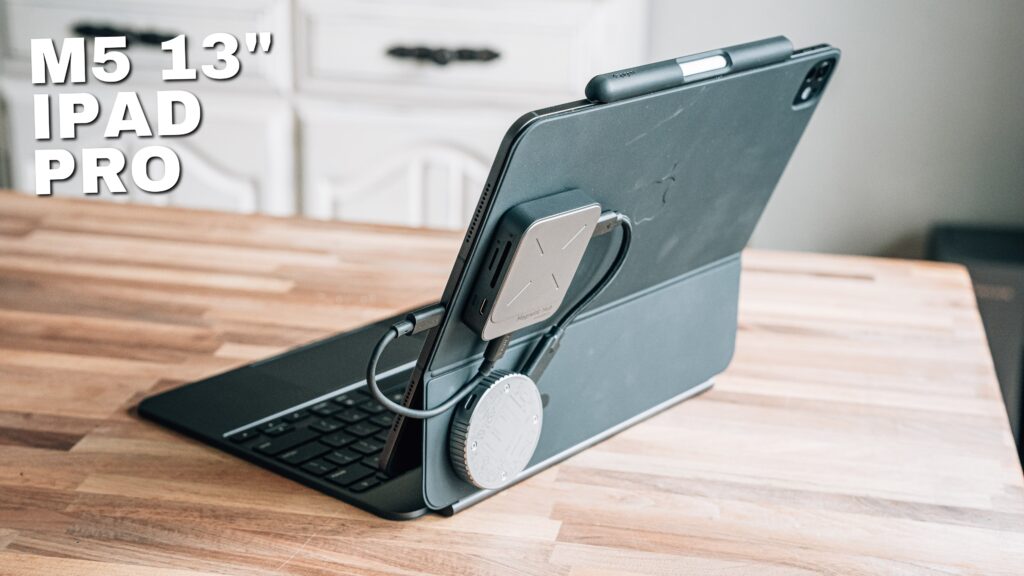
What We Like
- M5 chip delivers desktop-class performance that never once became a bottleneck during a full month of daily use
- 13-inch display provides enough screen real estate to make multi-window productivity workflows genuinely viable
- External monitor support with Stage Manager unlocks a near-desktop computing experience
- Final Cut Pro on iPad is now legitimately good — fast, usable, and worth revisiting if you dismissed it before
- Cellular connectivity means it's always ready to work without relying on hotspots or hunting for Wi-Fi
- Build quality is exceptional — thin, rigid, and premium without feeling fragile
What Could Improve
- iPadOS file management still introduces friction that macOS eliminates — drag-and-drop between apps is noticeably slower
- At $1,299 for the configuration most professionals actually need, the value proposition requires honest self-assessment
- Adobe Premiere Pro is not available on iPadOS, which remains a dealbreaker for video editors locked into that ecosystem
- Single USB-C port requires a hub for any serious multi-device workflow, adding cost and bulk
- Nano-texture display — while excellent for glare — creates color perception issues that affect photo and video editing accuracy
Video Review
16 Years of Chasing the Perfect iPad
I have been trying to make the iPad work as a serious productivity device since the very first model launched. That’s 16 years of hoping, testing, and occasionally giving up. With the M5 iPad Pro, I decided to stop dabbling and actually commit — I used it as my primary device for nearly a full month, leaving my MacBook Pro on the desk unless I absolutely had to render a project in Adobe Premiere Pro. What I found wasn’t a perfect device, but it was the closest Apple has ever gotten to delivering on the promise the iPad has been making for over a decade.
If you’re trying to figure out whether this device deserves a place in your workflow — or whether it’s an expensive piece of kit that ends up as a Zwift screen — this review is for you.
Who the M5 iPad Pro Is Actually For
Let’s be honest before we dive in: if you primarily browse the web, watch shows, and occasionally read, you do not need an iPad Pro. The base iPad handles all of that beautifully at a fraction of the cost. The M5 iPad Pro is for people pushing into genuine productivity territory — editing photos and video, running complex multi-app workflows, connecting accessories, using an external monitor, and carrying it into client meetings where being instantly ready to work actually matters.
I run a marketing agency alongside my YouTube channel. That means building websites, writing content, managing Google Ads campaigns, putting together email campaigns, and editing both photos and video. That’s the lens through which I tested this device, and it shaped everything I’m about to tell you.
Performance: More Than Enough — But That’s Not the Bottleneck
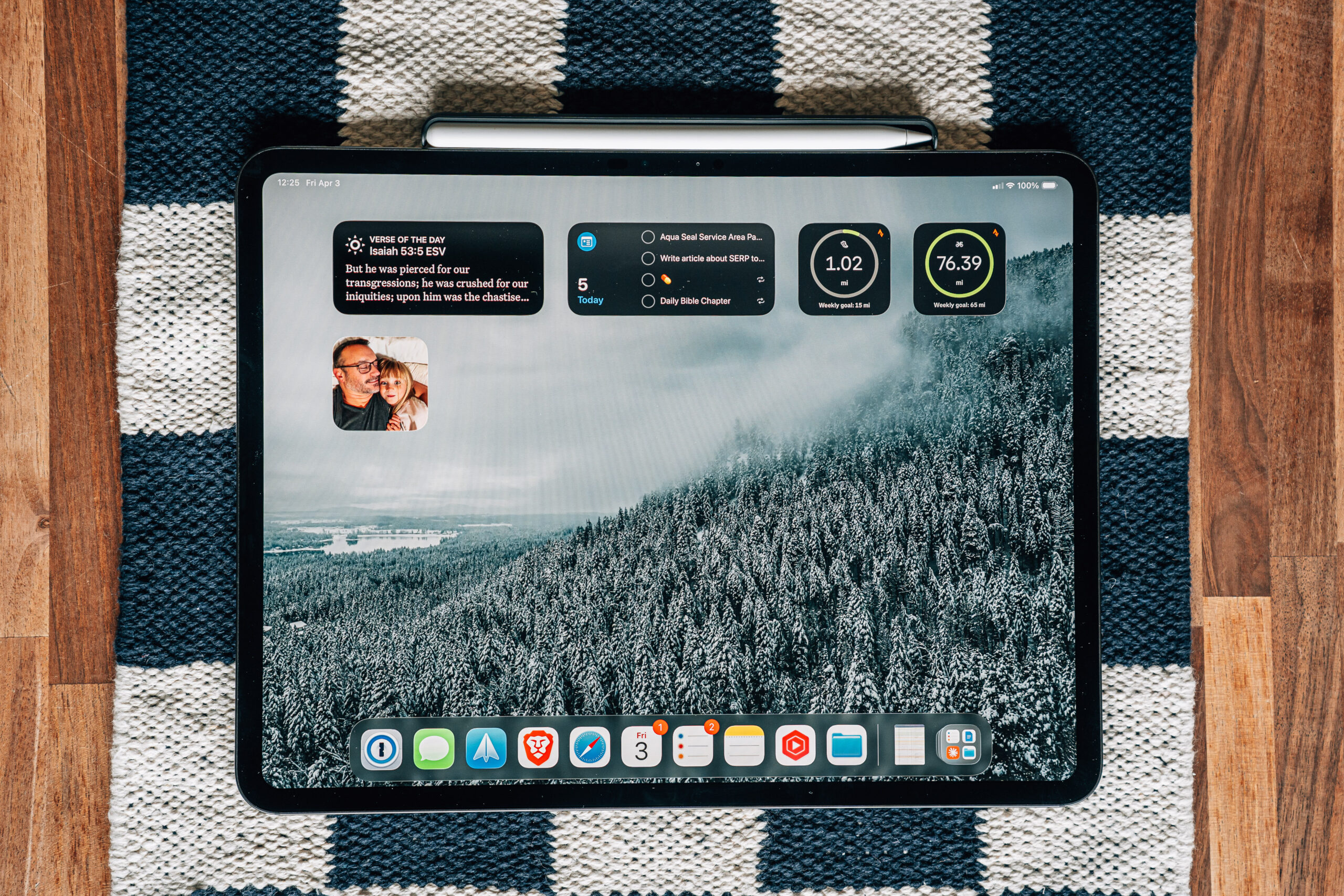
The M5 chip in this iPad Pro is extraordinary, and also almost beside the point. We are living in a moment where hardware has outpaced software so dramatically that raw performance benchmarks have stopped being useful as buying criteria. I ran Final Cut Pro on this device. I edited batches of photos in Lightroom. I had multiple apps open simultaneously with an external monitor connected. Not once did the iPad stutter, freeze, or give me any indication that it was straining.
For context, I also spent time this past week with a $500 MacBook running an iPhone-class chip, and that machine had enough performance for most daily tasks. When a $500 laptop can keep up with everyday workflows, you know the M5 iPad Pro isn’t going to be your bottleneck. The question has shifted entirely from “is it fast enough” to “does the software and experience let me move as fast as I want to.”
Display: Stunning, With One Important Trade-Off
The 13-inch Liquid Retina XDR display on this iPad Pro is genuinely beautiful. Brightness, color accuracy, and the ProMotion 120Hz refresh rate make everything feel premium and responsive. I previously owned the nano-texture version of the display and loved it — until I didn’t.
The nano-texture finish is a game changer for glare reduction. If you work in environments with strong ambient light or near windows, the difference is dramatic. Friends who once dismissed it have since switched and won’t go back. However, if you do any color-sensitive work — photography, video editing, anything where accurate color reproduction matters — the nano-texture introduces a compensation problem. I kept oversaturating and overexposing photos on the nano-texture display because the finish altered my perception of the image. When I’d check those edits on a standard display, the problems were obvious. That’s why I switched back to the standard display, and for my workflow it was the right call.
If you don’t do color-critical work, seriously consider the nano-texture. If you do, stick with standard.
iPadOS Experience: Better Than Ever, Not Quite There Yet
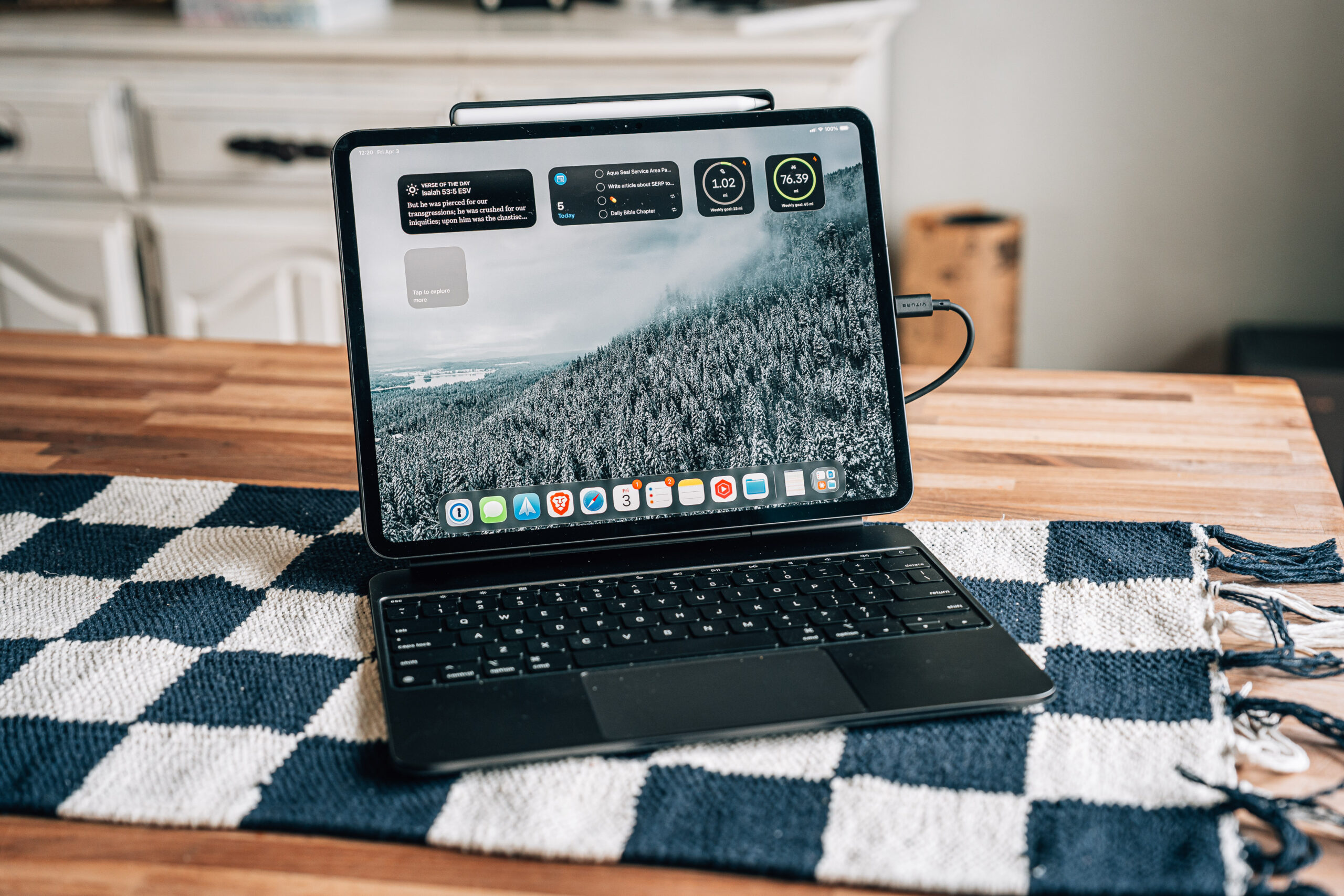
This is where things get nuanced. iPadOS has improved significantly, and I want to give Apple real credit for that. The new windowed mode, Stage Manager improvements, and the speed at which you can round-trip between applications has never been better. When I have the iPad connected to an external monitor, Stage Manager becomes genuinely useful — I can keep one app front and center, flip between others, and maintain a workflow that starts to feel like a real computing environment.
But there are still friction points that matter. Dragging files between applications, uploading assets to a website, moving media from a folder into a project — these tasks take longer on iPadOS than on macOS. It’s not the chip causing the delay. It’s the operating system itself. The interactions don’t snap the way they do on a Mac. You initiate a drag, wait for the app to register it, wait for the destination to be ready, and by that point you’ve lost the fluency that makes a workflow feel fast.
For people whose daily work involves heavy file movement — which mine does constantly — this friction adds up. It’s not a dealbreaker, but it’s honest to name it.
13-Inch vs 11-Inch: Which Size Actually Makes Sense
I previously used the 11-inch M4 iPad Pro and upgraded to the 13-inch for this review. The size difference matters more than the spec sheet suggests. The 11-inch is the right size if your iPad use is occasional — coffee shop email sessions, travel, light browsing, media consumption. It’s light, portable, and fits comfortably in one hand.
The 13-inch is the right size if you’re trying to use this as a near-primary device. The extra screen real estate makes multi-window workflows tolerable where they’d feel cramped on the smaller screen. It also makes photo and video editing dramatically more usable — having enough preview space left over after your tools are open changes the experience entirely.
My 11-inch M4 iPad Pro now lives on my bike trainer for Zwift workouts. That tells you everything about how size shapes the use case.
External Monitor Support: This Is Where It Gets Interesting
Connecting the M5 iPad Pro to an external display unlocks something close to a full computing experience. With a quality USB-C monitor — or using a USB-C to HDMI adapter for other displays — you can run the iPad in a dual-screen configuration that genuinely changes what’s possible. I used it connected to an Apple Studio Display with Stage Manager active, keeping music or secondary reference material on the iPad screen while doing primary work on the larger display.
This setup is the closest I’ve come to forgetting I was on an iPad. It’s not macOS, but it’s far enough that the gaps start to feel manageable for a wider range of people. If you’re considering using an iPad Pro as a desk machine, invest in a good external display before anything else.
Final Cut Pro on iPad: Actually Good Now
When Final Cut Pro first launched on iPad, I was skeptical. Watching other creators claim they were editing quickly and efficiently on the original version, I simply didn’t believe them. The experience was slow and the interface hadn’t been adapted well enough to make touch-first editing viable.
That has changed. The current version of Final Cut Pro on iPad is genuinely usable and has renewed my interest in the app even on my MacBook Pro, because some of the new features carried over are excellent. I wouldn’t say it’s replaced my desktop editing workflow, but for travel edits and lighter projects it’s a real option now — not a compromise.
Accessories and Connectivity
If you want to use this iPad like a computer, you need to think beyond the device itself. The single USB-C port is the primary constraint. I’ve added a hub to the back of my iPad that gives me additional USB-C ports and an SD card slot — essential for moving video files and photos between devices without sending everything through the cloud. I covered exactly what I’m using and how in a dedicated accessories video that’s worth watching alongside this review.
The Magic Keyboard Case remains the best keyboard option for serious work. It transforms the iPad into something that genuinely feels like a laptop while still letting you detach the screen for media consumption or sketching. Third-party keyboard cases are worth considering if you want to save money, but the hinge mechanism and trackpad quality on Apple’s first-party option is difficult to beat.
Wi-Fi vs Cellular: Stop Hesitating, Get Cellular
Every time I’ve bought an iPad, I’ve gotten cellular, and every time I’ve never regretted it. The practical reality is this: the whole point of taking an iPad out into the world is that it’s ready to work. If you have to connect to your phone’s hotspot, you’ve added steps, introduced potential dropped connections, and started draining your iPhone battery faster. When a client call comes in mid-session, your hotspot drops. Cellular on the iPad eliminates all of that.
Yes, it costs more upfront and adds a monthly plan. For me, the ability to walk into any client meeting, open the iPad, and be immediately ready to work without fussing with connectivity is worth every dollar of that premium.
Is the M5 iPad Pro Worth $1,299?
That’s the question everything leads back to. The honest answer is: it depends entirely on how you work. If you need a portable device that’s always connected, handles real productivity tasks, works brilliantly with an external display, and doubles as a media consumption device you actually enjoy using — this is the best version of that device Apple has ever made.
If you’re buying it hoping it will replace a MacBook for complex multi-app work involving heavy file management, web development, or software that doesn’t exist on iPadOS — you will still hit the same walls that have always existed, even if they’re lower than before. The hardware is exceptional. iPadOS is the best it’s ever been. But macOS it is not, and at $1,299 that gap still matters.
You can pick up the M5 iPad Pro 13-inch on Amazon or check B&H Photo, which frequently has competitive pricing on Apple products and is an authorized reseller.
Final Verdict
After nearly a month using the M5 iPad Pro 13-inch as my primary device, I can say this with confidence: it's the best iPad Apple has ever shipped, and it's still not the right tool for everyone at this price. For creative professionals, consultants, and anyone who wants a single portable device that handles real work — photo editing, video editing in Final Cut Pro, client presentations, writing, web browsing at scale — and want to pair it with an external monitor for desk use, this device delivers. The performance is untouchable, the display is gorgeous, and iPadOS has genuinely improved to the point where the friction that used to derail productivity workflows has been meaningfully reduced.
Get the 13-inch if this is going to be your primary or near-primary portable device. Get cellular — the always-ready connectivity is worth the premium. Choose standard display over nano-texture if you do any color-critical work; choose nano-texture if you work in bright or high-glare environments and don't touch photo or video editing. If your work involves heavy file management between apps, complex web development, or software that simply doesn't exist on iPadOS, you'll still hit ceilings.
The M5 chip isn't the limitation — iPadOS is, and Apple is improving it every year. Buy it on Amazon or check B&H Photo for pricing. Both are reliable options and B&H frequently matches or beats Amazon on Apple hardware.
Was this helpful?
Frequently Asked Questions
Is the M5 iPad Pro worth the upgrade from the M4 iPad Pro?
Can the M5 iPad Pro replace a MacBook?
Should I get the 11-inch or 13-inch iPad Pro?
Is the nano-texture display worth it on the iPad Pro?
Do I need cellular on the iPad Pro, or is Wi-Fi enough?
What accessories do you need to use the iPad Pro as a laptop replacement?
How is Final Cut Pro on the M5 iPad Pro?
How is battery life on the M5 iPad Pro 13-inch?
Which is better for most people: iPad Pro or MacBook Air?

You must be logged in to post a comment.