I Switched from the iPhone 17 Pro Max to the Galaxy S26 Ultra — Here’s My 3-Week Honest Report
By Jerad Hill | Updated April 2026 | 3-week hands-on experience
Quick Summary
After almost two decades as a dedicated iPhone user — and someone who covers the Apple ecosystem for a living, I pulled the plug and made the Galaxy S26 Ultra my full-time daily driver, replacing my iPhone 17 Pro Max completely. No safety net, no dual-carrying. Three weeks in, here is my honest, unfiltered report on what it is actually like to live on Android when your family, your Mac, and most of your workflows are built around Apple.
The short version: the S26 Ultra is a genuinely impressive device that does a lot of things better than the iPhone 17 Pro Max. The battery life is remarkable, the display is stunning, the cameras are excellent, and the raw snappiness of the operating system is something you notice immediately and never stop appreciating. But switching is not painless, especially when your whole family is still on iMessage, and some of Android’s rough edges are more friction-causing than a spec sheet will ever tell you.
This is not a lab test. This is 30 days of real life.
Why I Switched (And Why It Matters That I Did)
I want to be upfront about who I am, because context matters for a review like this.
I have been reviewing phones since the original iPhone launched. I run a YouTube channel focused on the Apple ecosystem. My Mac is my primary work machine. My wife and four kids are all on Apple devices. I am, by every reasonable measure, the last person you would expect to ditch the iPhone.
That is exactly why this experiment is worth reading.
I am not a Samsung fanboy looking for validation. I am not someone who has been on Android for years and grown comfortable with it. I am an iPhone loyalist who forced himself to live on the Galaxy S26 Ultra for 30 days, through the discomfort, the friction, and the moments where I genuinely wanted to quit, to give you an honest picture of what the switch is really like.
I have always kept an Android device around, usually for case reviews or to stay familiar with the platform. But it has always sat on a shelf. The S26 Ultra was the first Samsung phone in a long time that made me think: what if I actually tried?
So I did.
The Thing Nobody Talks About: Smooth vs. Snappy
Before I get into specifics, I need to introduce the framework that defines my entire experience with these two phones, because it is the most useful way I have found to explain the difference.
The iPhone 17 Pro Max is smooth. The Galaxy S26 Ultra is snappy.
These sound like synonyms. They are not.
iOS moves between screens and apps with fluid, graceful animations. Things morph, transition, and flow. It is beautifully choreographed. Liquid Glass, the design language Apple introduced with iOS 26, leans even further into this — elements animate and blend in ways that look genuinely gorgeous.
One UI on the S26 Ultra does not move that way. It just goes. You tap an app and you are in it. You swipe back and you are out. There is no ceremony, no transition animation to sit through. It gets out of your way.
Neither approach is wrong. But after spending time on the S26 Ultra, going back to my iPhone, even briefly, to grab a two-factor authentication code, the iPhone feels like it is moving through molasses by comparison. The performance gap between these devices in benchmark terms is narrow. The perceived speed gap in daily use is not.
If you value the feeling of a phone that gets out of your way fast, the S26 Ultra has a meaningful advantage here.
Battery Life: The Number That Surprised Me Most
I will lead with this because it is the most dramatic real-world difference I have found.
On the iPhone 17 Pro Max, I cannot remember the last time I ended a day above 60% battery. And I am not a heavy user by tech reviewer standards.
On the Galaxy S26 Ultra, ending the day with over 60% remaining has become routine — on days where I am not hammering the phone.
Here is a specific data point from my third week: I was off the charger at 4:00 a.m. By 3:00 p.m., eleven hours later, including a 45-minute Zwift workout session where the screen was on the entire time, I was at 52% battery remaining. Screen-on time for the day was 3 hours and 45 minutes.
That is remarkable. I have not experienced battery life like that on a flagship phone in years.
There is an important caveat. The S26 Ultra’s display is capable of extremely high refresh rates and resolution, and the phone’s game optimization features can push performance hard in apps that do not necessarily need it. When I first used Zwift on the S26 Ultra, the app looked incredible, noticeably sharper and smoother than on my iPhone. I quickly realized the phone was pushing the display to maximum performance settings for a cycling app, which was unnecessary and battery-hungry. Once I adjusted the per-app performance settings, the battery situation became what I described above.
The lesson: the S26 Ultra has excellent battery life if you manage its performance settings reasonably. Out of the box, with everything at maximum, you will burn through it faster than you expect.
Android Auto vs. Apple CarPlay: A Clear Winner
This one surprised me.
I expected to miss Apple CarPlay. It is familiar, it works reliably, and I have used it for years. What I did not expect is that I would prefer Android Auto almost immediately.
Android Auto just looks better. The interface is cleaner, the navigation is more intuitive, and, here is that word again, it is snappier than CarPlay. Transitions are faster, Google Maps integration feels native rather than bolted on, and the overall experience of glancing at the screen while driving is more pleasant.
I was already using Google Maps as my primary navigation app on CarPlay. The only thing that changed when I moved to Android Auto is that the rest of the interface finally matched the quality of the navigation I was already using. That felt like the system finally catching up to itself.
If you spend significant time in your car and you are on the fence about switching, Android Auto is a genuine point in Samsung’s favor.
The Frustrations: Where Android Still Has Rough Edges
I want to be honest here, because this is where most Samsung-boosting reviews skim over the details.
Voice dictation while driving
I dictate a lot while I am driving, notes, reminders, texts. On iOS, the experience is seamless. On the S26 Ultra, I kept running into a problem: when I would start a voice prompt with Gemini or use dictation in a third-party app, the music or audiobook playing through Android Auto wouldn’t always pause. I would end up trying to talk over an audiobook, and the phone would pick up the background sound as part of my dictation.
This does not happen in Samsung’s native apps or the stock messages app. But in some third-party apps, the phone does not seem to consistently understand that if the microphone is active, playback should pause. It is a polish issue, not a fundamental flaw, but it caused real friction on a daily basis.
The fingerprint reader with a screen protector
I always use a screen protector. I have scratched too many Galaxy phones to go without one, even briefly. The S26 Ultra’s in-display fingerprint reader and screen protectors do not get along well. Misreads are frequent enough to be genuinely annoying.
I rescanned my thumbprint. I added a second scan of the same thumb. It helped somewhat, but the problem did not go away. Face unlock works quickly and reliably, but not every app accepts it; banking apps, in particular, often require fingerprint only, for security reasons. So I kept running into the same wall: phone asks for fingerprint, fingerprint fails, I have to try again.
It is a solvable problem if you go without a screen protector. I am not willing to do that.
Gemini vs. Bixby
The AI integration on the S26 Ultra is genuinely more capable than what Apple Intelligence currently offers on iOS 26. The depth of integration, the range of tasks AI can handle, and the speed of responses are all ahead of where Apple is right now.
But I found myself confused more often than I expected about which AI to use. Gemini is Google’s assistant. Bixby is Samsung’s. They coexist on the phone, they have overlapping functions, and they handle different things. As someone new to the platform, I spent time in the first two weeks just trying to understand which one to invoke for which task. The experience is not as unified as it should be for a phone at this price point.
That said, when the AI integration works, and it often does, the S26 Ultra is ahead of the iPhone in this category. For anyone who uses AI features heavily in their daily workflow, this matters.
Ecosystem Friction: The Part That Costs You Emotionally
When I switched to the Galaxy S26 Ultra, I became the green bubble in my family’s group chats.
My wife and four kids are all on iPhones and Apple Watches. Every text I send to them now lands as an SMS or RCS message instead of iMessage. Reactions do not translate the same way. Shared photo albums in iCloud are not accessible from my phone. Find My, the feature I use to know where my kids are, requires me to open my iPad now, because it does not work on Android.
AirDrop, which I use constantly to move photos between my iPhone and Mac, is gone. I have found workarounds. Samsung Galaxy devices (starting with S26 series) can now share files directly with Apple devices using Quick Share. It works, but it still adds friction to tasks that used to be invisible.
To enable Quick Share with Apple Devices, go to Settings > Connected devices > Quick Share and toggle on Share with Apple devices. Both devices must have Bluetooth/Wi-Fi active, with AirDrop set to “Everyone”.
None of these things are dealbreakers on their own. But they stack up. And they stack up differently depending on how embedded your life is in Apple’s ecosystem. For someone who primarily uses Google services and has a family on Android, these frictions do not exist. For someone like me, they are a daily reminder that you left.
I want to acknowledge this honestly, because I think reviewers often understate it.
Where Apple Still Wins
The Galaxy S26 Ultra is a better phone than the iPhone 17 Pro Max in several categories. But the iPhone holds real advantages in a few areas that matter to how I use my phone.
Widgets. Apple’s widgets look polished, scale well, and have been refined over multiple OS generations. Android widgets, including third-party ones, are inconsistent. Some look great. Many have awkward padding, blank space that does not fill, or layouts that do not adapt cleanly to different sizes. This is not Samsung’s fault specifically; it is an Android platform challenge. But on a phone this beautiful, it is noticeable.
Ecosystem integration. This is not about any single feature. It is the sum total of a decade of Apple building products designed to work together. Handoff, AirDrop, iCloud, Continuity Camera, Universal Clipboard — these features disappear when you leave the ecosystem, and you feel their absence more than you expect.
Video quality. Cameras are a subjective call, and both phones shoot excellent photos. But for video, I still find the iPhone produces footage with a smoothness and depth that the S26 Ultra’s video has not matched in my testing. This matters to me because I create video content professionally.
What the S26 Ultra Does Better
To be fair, here is where Samsung has the iPhone beat:
- Raw snappiness in daily navigation and task switching
- Battery life in normal to moderate usage conditions
- Display quality, particularly brightness and color in direct sunlight
- Android Auto experience
- AI feature depth and integration (even if the UX around it needs work)
- Charging speed — 60W wired charging leaves iPhone’s charging in the dust
- Camera flexibility, particularly with telephoto versatility and the 200MP primary sensor
My Setup: What I Am Actually Using
For context, here is exactly how I have had the S26 Ultra configured throughout this test:
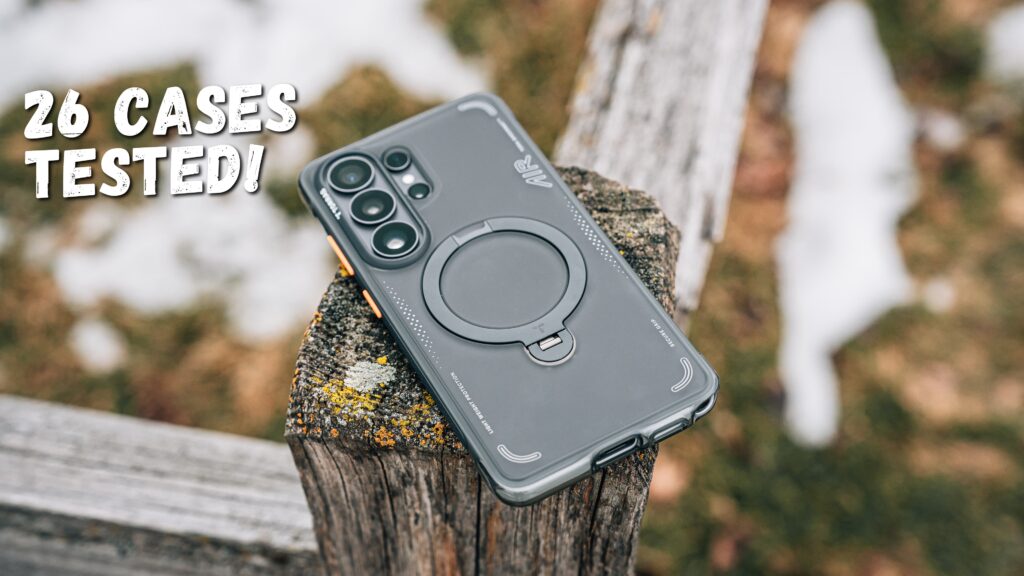
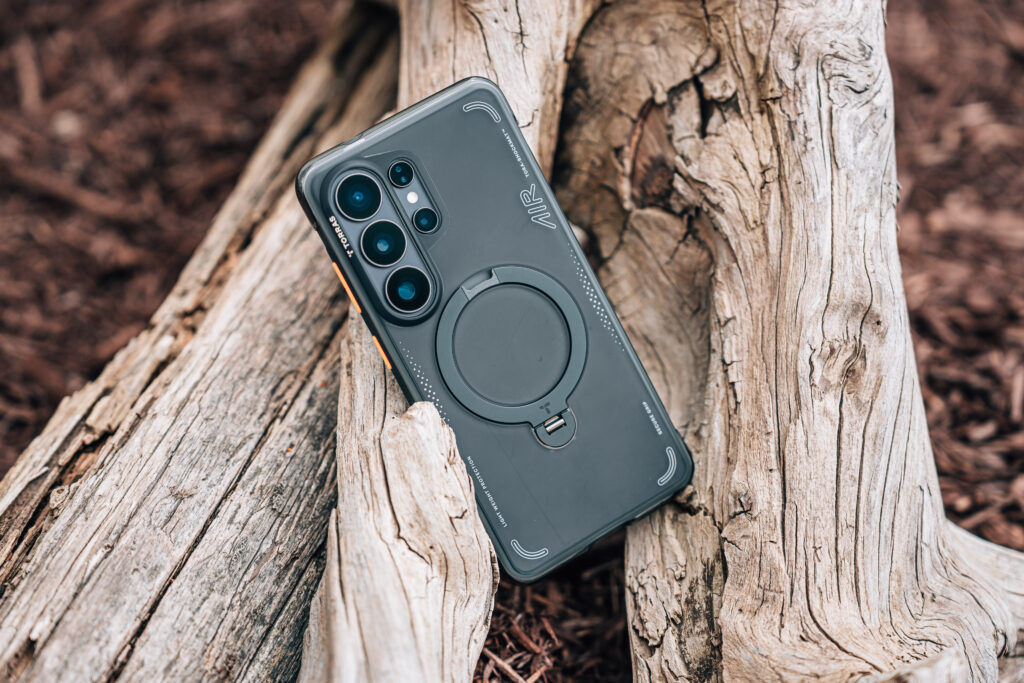
- Case: Torras OStand Q3 Air — the same case I use on my iPhone. I love this case on both devices.
- Launcher: Stock Samsung One UI launcher. I did not want to introduce variables by switching launchers.
- Watch: Galaxy Watch Ultra (paired for the full Samsung ecosystem experience)
- Earbuds: Galaxy Buds Pro 4 — genuinely excellent, and worth a separate review
I kept as much as possible in the stock configuration to experience what a new Samsung user would encounter, rather than optimizing the phone into something that does not reflect real-world switching conditions.
The 30-Day Verdict Preview
I still have time left in this experiment, and the full comparison video is coming. But here is where I am landing so far.
The Galaxy S26 Ultra is the most compelling Android phone I have ever used. For someone without deep Apple ecosystem ties, it may genuinely be the better phone. The battery life, the display, the speed, and the AI integration represent a package that the iPhone 17 Pro Max cannot match in every category.
But switching is not a hardware decision. It is a lifestyle decision. If your family is on iMessage, your laptop is a Mac, and your workflow runs on Apple services, the friction of leaving is real and ongoing — not something you work through in the first week and forget.
I will have the full side-by-side report at the end of 30 days. Subscribe and turn on notifications so you do not miss it.
Specs Comparison: Galaxy S26 Ultra vs. iPhone 17 Pro Max
| Samsung Galaxy S26 Ultra | Apple iPhone 17 Pro Max | |
|---|---|---|
| Display | 6.9″ Dynamic AMOLED 2X, 3120×1440, 120Hz LTPO | 6.9″ Super Retina XDR OLED, 120Hz ProMotion |
| Processor | Snapdragon 8 Elite Gen 5 | Apple A19 Pro |
| RAM | 12GB (base) / 16GB (1TB model) | 8GB |
| Storage | 256GB / 512GB / 1TB | 256GB / 512GB / 1TB / 2TB |
| Main Camera | 200MP, f/1.4 | 48MP, f/1.78 |
| Telephoto | 10MP 3x + 50MP 5x | 12MP 5x |
| Front Camera | 12MP | 24MP (Center Stage) |
| Battery | 5,000 mAh | ~5,000 mAh |
| Wired Charging | 60W | 30W |
| Wireless Charging | 15W (Qi2 limited) | 25W MagSafe |
| OS | One UI 8.5 (Android 16) | iOS 26 |
| Weight | 214g (7.5 oz) | 233g (8.22 oz) |
| Starting Price | $1,299 | $1,199 |
| S Pen | Yes | No |
| Privacy Display | Yes | No |
Frequently Asked Questions
Is the Galaxy S26 Ultra worth switching to from the iPhone 17 Pro Max?
It depends heavily on how embedded you are in the Apple ecosystem. The Galaxy S26 Ultra is a genuinely outstanding phone with better battery life in most scenarios, a faster-feeling OS, a more impressive display, and deeper AI integration. But if your family uses iMessage, your computer is a Mac, and you rely on features like AirDrop, Find My, or iCloud continuity, the friction of switching is real and persistent. The phone is worth it if you are ready to leave those things behind or find alternatives. It is harder to justify if you are not.
Does the Galaxy S26 Ultra work well with a Mac?
It works, but not seamlessly. Android Auto works in your car regardless of laptop brand. Google Drive, Dropbox, and similar cross-platform tools bridge most file-sharing needs. But features like AirDrop, Continuity Camera, Universal Clipboard, and Handoff are Apple-to-Apple only. You will find workarounds, but they add steps to tasks that used to be instant. Microsoft’s Phone Link app and Google’s ecosystem tools help, but they do not fully replicate the Apple experience.
How is the Galaxy S26 Ultra battery life compared to the iPhone 17 Pro Max?
In real-world moderate use, the S26 Ultra’s battery life is noticeably better. Ending the day with 60% or more remaining is common in light-to-moderate use, which is something most iPhone users have not experienced in years. The caveat is that the S26 Ultra’s display and processor performance settings can drain the battery aggressively if left at maximum — particularly in apps the phone treats as high-performance. Managing per-app performance settings makes a significant difference.
What is it like being on Android when your family is on iPhone?
It is the most underrated friction point in any iPhone-to-Android switch. You become a green bubble in every group chat. iMessage reactions do not always translate correctly. Shared iCloud photo albums are not accessible. Find My does not work. FaceTime does not work (though Google Meet and other apps fill the gap). These are not catastrophic problems, but they are daily reminders that you stepped outside the ecosystem. If your family is deeply on Apple, plan for this friction — it does not go away.
Is the Galaxy S26 Ultra fingerprint reader reliable?
Without a screen protector, it is fast and reliable. With a screen protector — which many people reasonably want on a $1,299 phone — accuracy degrades noticeably. Misreads are frequent enough to be a genuine daily annoyance. Face unlock is fast and works well, but some apps (particularly banking apps) require fingerprint-only authentication, which means you will still hit the problem periodically. This is a known limitation worth considering before buying.
How does Android Auto on the S26 Ultra compare to Apple CarPlay?
Android Auto is genuinely better. The interface is cleaner, navigation is faster, and the integration between Google Maps and the rest of the system feels native. If you were already using Google Maps on CarPlay — as many iPhone users do — Android Auto just makes the whole experience consistent rather than mixing Apple’s interface with Google’s navigation. This is one area where switching from iPhone to the Galaxy S26 Ultra is a clear upgrade, not a tradeoff.
Is the AI on the Galaxy S26 Ultra actually useful day-to-day?
More useful than Apple Intelligence on iOS 26 in its current state, yes. The integration is deeper, the range of tasks it can handle is broader, and the responses are generally faster. The main challenge for new Android users is understanding when to use Gemini versus Bixby, as both assistants coexist on the phone with overlapping functions. The experience is not as seamless as it should be at this price point, but for anyone who actively uses AI in their daily workflow, the S26 Ultra is the stronger choice between these two phones right now.
Will switching from iPhone to Samsung delete my iCloud photos?
No. iCloud photos are stored in Apple’s cloud and remain accessible from any Apple device or browser at iCloud.com. Switching your daily phone to Android does not delete your iCloud library. You can continue to access your photos via browser. However, your iCloud photos will not sync automatically to your Android phone — you would need to manually download them or migrate to Google Photos if you want that functionality on your new device.
What case does Jerad use on the Galaxy S26 Ultra?
The Torras OStand Q3 Air. It is the same case used on the iPhone 17 Pro Max and it works well on both devices — a clean, slim profile with a built-in stand.
How long until the full 30-day Galaxy S26 Ultra vs. iPhone 17 Pro Max review is published?
The full review and side-by-side comparison video is coming at the end of the 30-day period. It will go deeper than the typical camera and battery comparison — including the in-car experience, ecosystem friction, AI features, and the final honest verdict on whether switching is worth it for a long-time iPhone user. Subscribe to the YouTube channel and check back here for the full article.
Jerad Hill has been reviewing smartphones since the original iPhone launch in 2007. He runs Jerad Hill Tech, a YouTube channel focused on the Apple ecosystem and intentional technology use, with over 132,000 subscribers. All products tested are used as primary daily drivers, not for brief demo sessions.